ANY-maze Help > The ANY-maze reference > The I/O page > Working with the I/O page > Renaming multiple input/output devices simultaneously
Renaming multiple input/output devices simultaneously

 | To access the Rename all I/O devices window, select a device of the relevant type from the list on the left-hand side of the I/O page and then click the  Rename all devices button in the ribbon bar. Rename all devices button in the ribbon bar. |
Introduction
Most of the I/O devices supported by ANY-maze have rather technical names, which make it hard to remember exactly what they're connected to. To overcome this you can rename a device, for example you might choose to alter the device called "Operant cage 1" to be "Home cage 1", because that's the apparatus it physically connects to.
Sometimes, you will have several devices of the same type, each of which links to a physically separate piece of apparatus - and so you'll want to rename all the devices to something very similar. For example, if you have 32 ANY-maze Operant interfaces connected to 32 separate home cages for the animals, you don't really want to have to rename each one separately! The Rename all I/O devices window allows you to perform this renaming quickly and easily for multiple cages.
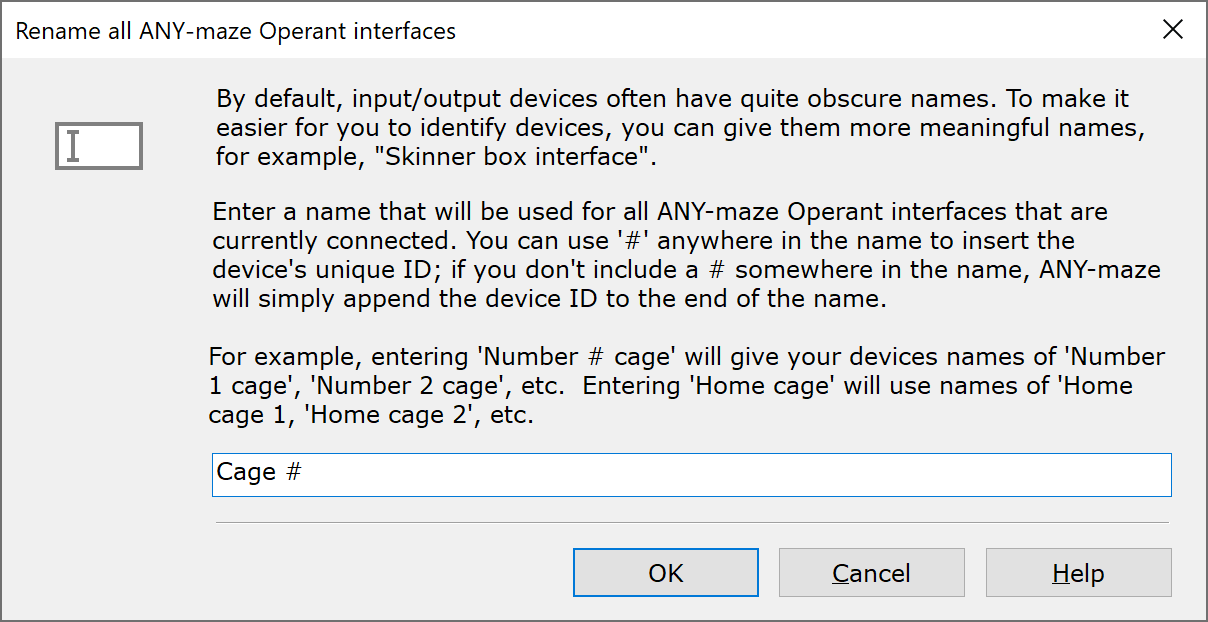
Figure 1. The Rename all I/O devices window, for ANY-maze Operant interfaces.
Changing the name of the attached devices
To change the name of the devices, you should simply delete the current name and type in the name you want to use. There's a limit of 63 characters, but otherwise you can enter whatever you like.
Because you're typing in the same name for several different devices, ANY-maze will also include the device ID of each device in the name (in the case of ANY-maze Operant interfaces, for example, this is the ID that is given to the interfaces when you Renumber ANY-maze Operant interfaces). You can use the text '#' to tell ANY-maze where to insert this device ID; if you don't, then ANY-maze will simply append the device ID at the end of the text that you enter.
So, for example, you could enter the text "Number # cage", in which case the devices will be given the names "Number 1 cage", "Number 2 cage", etc. Or you could simply enter the text "Home cage", in which case ANY-maze will name the interfaces "Home cage 1", "Home cage 2", etc.
Note that clicking OK will change the name of all of this type of device that are currently attached to the computer - if you later plug in a new box of the same type, it will still have its default name, which may not adhere to the naming scheme that you enter here.
To restore the default name for all connected devices, simply delete the entry from the name field, so it's blank, and then click OK.
See also:
| • | Working with the I/O page |

© Copyright 2003-2026 Stoelting Co. All rights reserved
ANY-maze help topic T0926