ANY-maze Help > The ANY-maze reference > The Protocol page > Saving and loading Protocols > The Save protocol window
The Save protocol window

Introduction
Use this window to name a protocol file and choose where to save it. You can also elect to protect the file by entering a password.
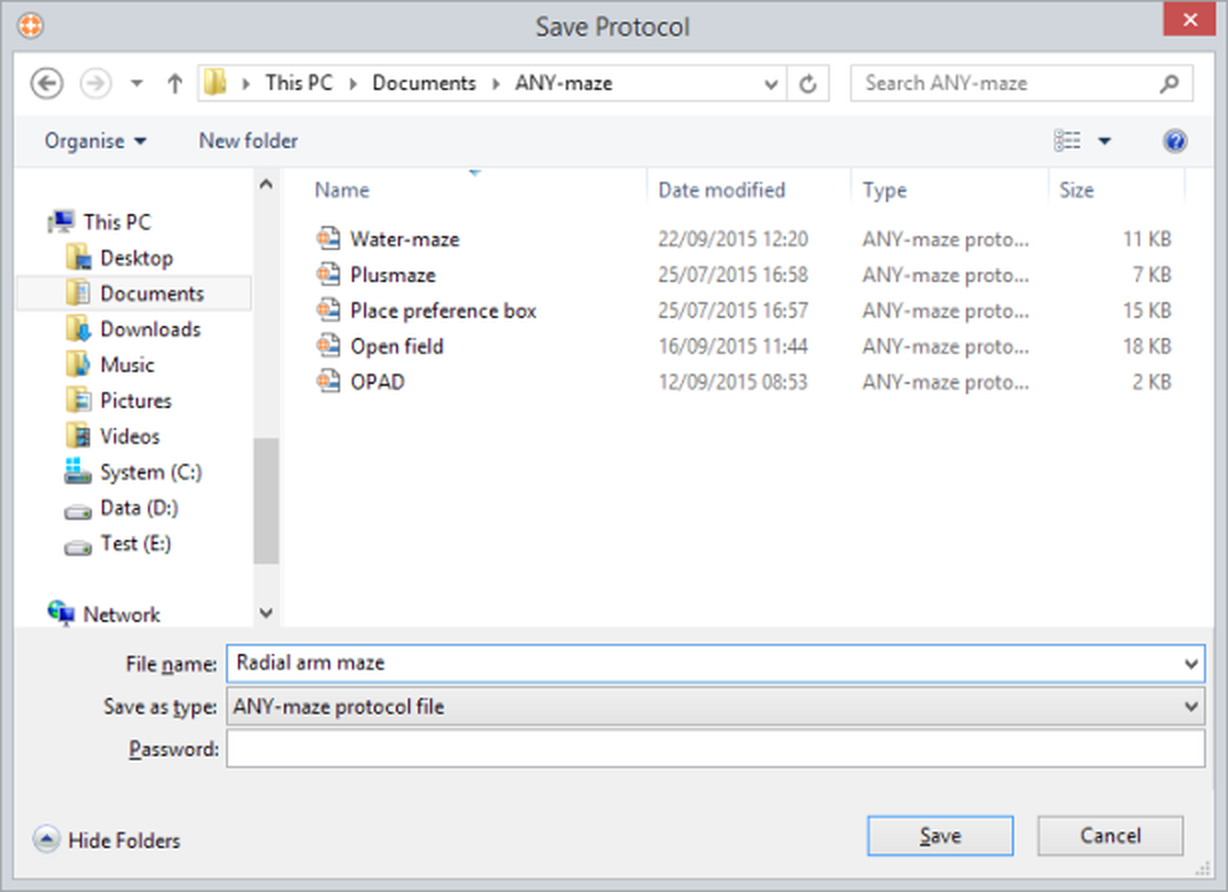
Figure 1. The Save Protocol window.
Details
You will probably be familiar with this window already as it's based on the standard 'Save file' window used in almost all Windows software.
It's often very useful to enlarge this window so you can see more files. You can do this by dragging the bottom right corner with the mouse.
| Files list | The files list shows the folders and protocol files stored in the current location. You can double click a folder to open it and you can click a protocol file to transfer its name to the File name field. |
| File name | Use this field to enter a name for the protocol file. ANY-maze will automatically enter the protocol's name into this field (assuming you've given it a name) but you can delete this and type in something different if you like. Note: File names can be up 255 characters long but cannot contain any of the following characters: \ / : * ? " < > |. |
| Type of file | In fact, there is only one choice here, ANY-maze protocol file, so you can ignore this list. |
| Password | You can use this field to enter a password for this protocol file. Anyone who tries to load the protocol into an experiment will need to enter the password first. In fact, if you enter a password ANY-maze will also encrypt the file so it can't be read by any other software. However, be careful, if you forget the password you won't be able to load the file. |
If you've chosen to protect your files by default - see the Preferences : My account topic, then your password will already be filled in here - if you don't want to protect this particular file then simply delete the entry so the field is empty.
See also:
| • | Saving and loading Protocols |
| • | Securing your ANY-maze system and data |

© Copyright 2003-2026 Stoelting Co. All rights reserved
ANY-maze help topic T0730