ANY-maze Help > The ANY-maze reference > The Protocol page > The elements of a protocol > Testing > Events and actions > Setting up an action > Specifying the effect of an action > Changing the temperature of a temperature controller
Changing the temperature of a temperature controller

 | The action described here is for use in protocols created in version 4 of ANY-maze. In version 5, Events and actions have been replaced by procedures, for which there are similar, but more flexible, actions available. |
Introduction
During a test, you can use an Action to alter the temperature of a temperature controller. This is done using the Alter the temperature of a temperature controller window shown in figure 1.
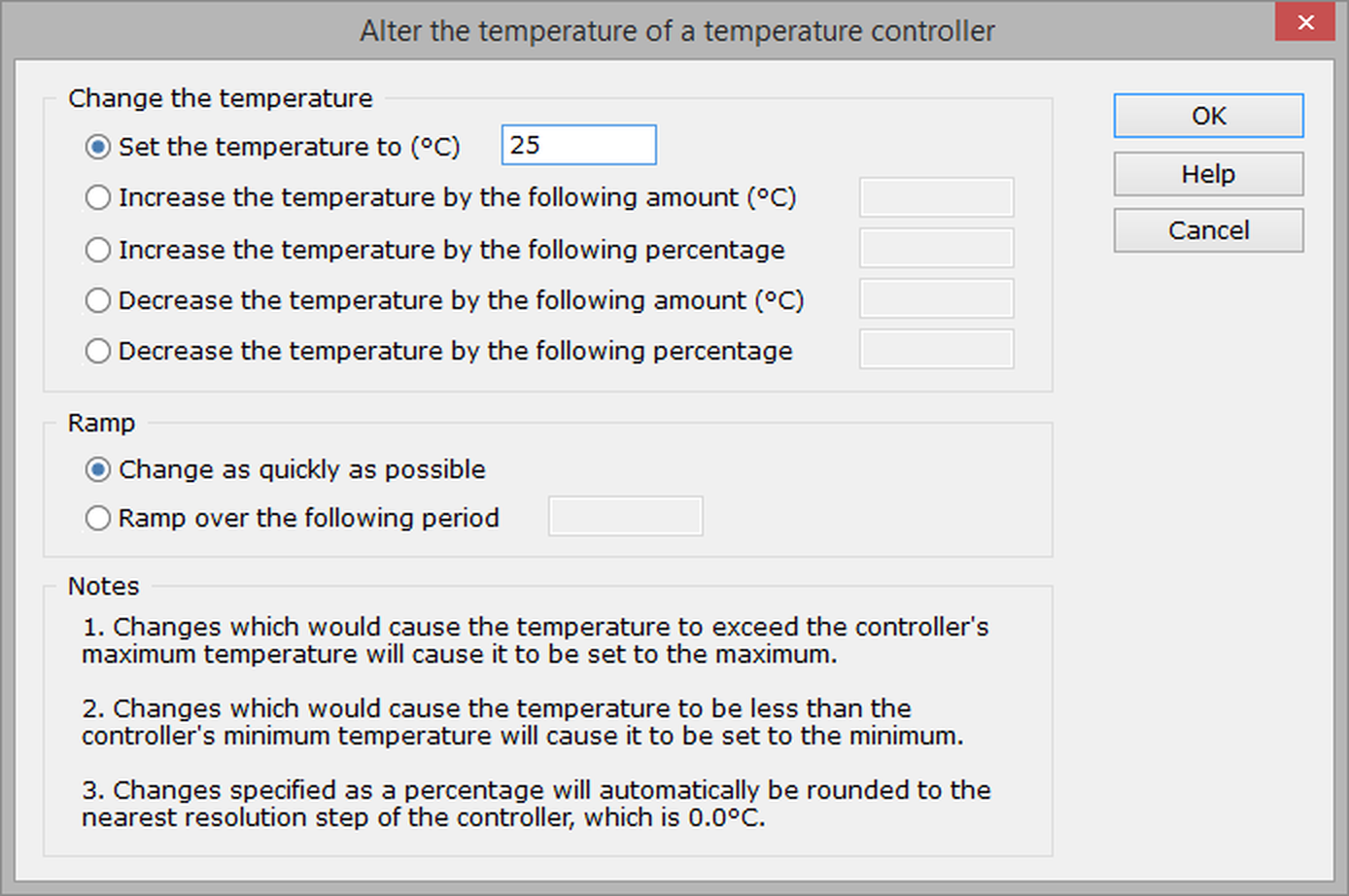
Figure 1. The Alter the temperature of a temperature controller window, which is used to specify how an Action should alter the temperature controller.
Specify the new temperature
There are three options for how the temperature should change:
| • | The temperature can be set to a specific value. |
| • | The temperature can be set to increase or decrease from the current value by some specific number of degrees. |
| • | The temperature can be set to increase or decrease from the current value by a certain percentage. |
In all cases, the temperature will never be set to a value greater than the maximum temperature or less than the minimum temperature, as defined in the protocol.
When the temperature change is specified as a percentage, the value will be rounded to the nearest resolution step of the controller.
When the temperature is set to increase or decrease (rather than being set a specific value), the change will be applied to the currently programmed temperature and not the temperature that the device is actually at. For example, imagine that the controller has been programmed to be 20°C (and is at 20°C); when it is told to increase its temperature by 10°C, this will start to happen - now imagine that it has reached 25°C when it is told to decrease by 10°C. When this happens, the programmed temperature would be 30°C (20°C + 10°C) so the decrease will reduce it back to 20°C again - it won't change it to 15°C (which would be 10°C less than the temperature it is actually at).
Specifying a temperature ramp
Temperature controllers can't change their temperature instantly, so any change will always ramp up or down from the current value. You can choose whether you want this ramp to occur as quickly as possible, in which case the ramp speed will depend on the controller, or to ramp over some period that you specify. For example, you might specify that the temperature should change by 10°C over the course of 5 minutes, in which case the temperature would change by 1°C every 30s (which will almost certainly be much slower than the maximum speed the device could achieve).
As mentioned in the previous section, temperature increases or decreases are applied to the currently programmed temperature and not the temperature that the device is actually at, and this can have an effect on how ramp durations are interpreted: For example, imagine that a device is changing temperature from 20°C to 30°C over the course of 10 seconds; but after just 5 seconds, it is told to decrease temperature by 10°C over 10 seconds - what will happen?
Well, first of all, we know that the actual temperature will be 25°C (because it was changing from 20°C to 30°C over 10 seconds, and we're 5 seconds through this). We also know, from the section above, that the system will decrease the temperature from the programmed value (30°C), so the new programmed temperature will be 30-10 = 20°C. That leaves one question; how long should the ramp take?
The programmed ramp duration is 10s, so it would seem logical that the temperature will drop from 25°C to 20°C over 10s, i.e. a ramp of -0.5°C/s. However, the action specified that the temperature should drop by 10°C over 10s, which implies a ramp of -1.0°C/s; so what will actually happen is that the temperature will drop from 25°C to 20°C at -1°C/s, i.e. over a period of 5 seconds. The key point to understand is that the slope of the programmed ramp will be used, and not the duration.

© Copyright 2003-2026 Stoelting Co. All rights reserved
ANY-maze help topic T0441