ANY-maze Help > The ANY-maze reference > The Protocol page > The elements of a protocol > Reports > Results reports > Setting up a results report > Setting up a text section > Select how the data will be grouped
Select how the data will be grouped

In brief
A text section shows the results of measures for groups of tests. For example, a text section which is grouped by 'Treatment' would show the results for each treatment group in the experiment - see figure 1.
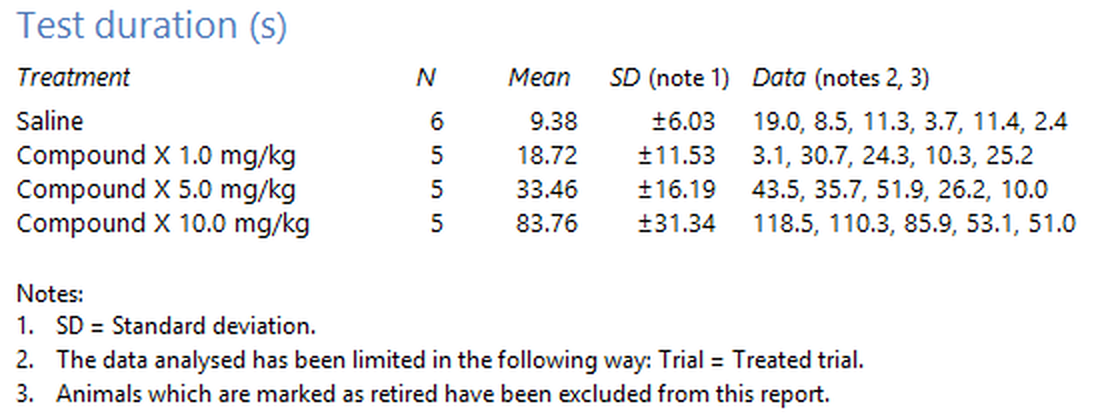
Figure 1. A text section grouped by treatment.
You can select up to three nested groups, where the nesting causes groups to be further subdivided - see figure 2.

Figure 2. A text section grouped by treatment and then by sex.
To select the grouping measures, use the three drop-down lists shown on the text section's settings page.
Details
You must select at least one group. If what you really want is just the raw data without any grouping or analysis, then you should probably use the spreadsheet shown on the Data page.

© Copyright 2003-2026 Stoelting Co. All rights reserved
ANY-maze help topic T0709