ANY-maze Help > The ANY-maze reference > The Results page > Performing statistical analysis
Performing statistical analysis

 | For general information about the Results page, refer to the Results page topic. |
Introduction
A great feature of ANY-maze is its ability to perform statistical analysis of an experiment's results. While not as sophisticated as full statistical analysis programs such as SPSS or Systat, ANY-maze is able to analyse most results using its battery of built-in statistical tests.
Statistical tests are performed by simply creating an appropriate statistical analysis report. As you'll see, stats reports are much like text reports except that they include analysis of the groups shown.
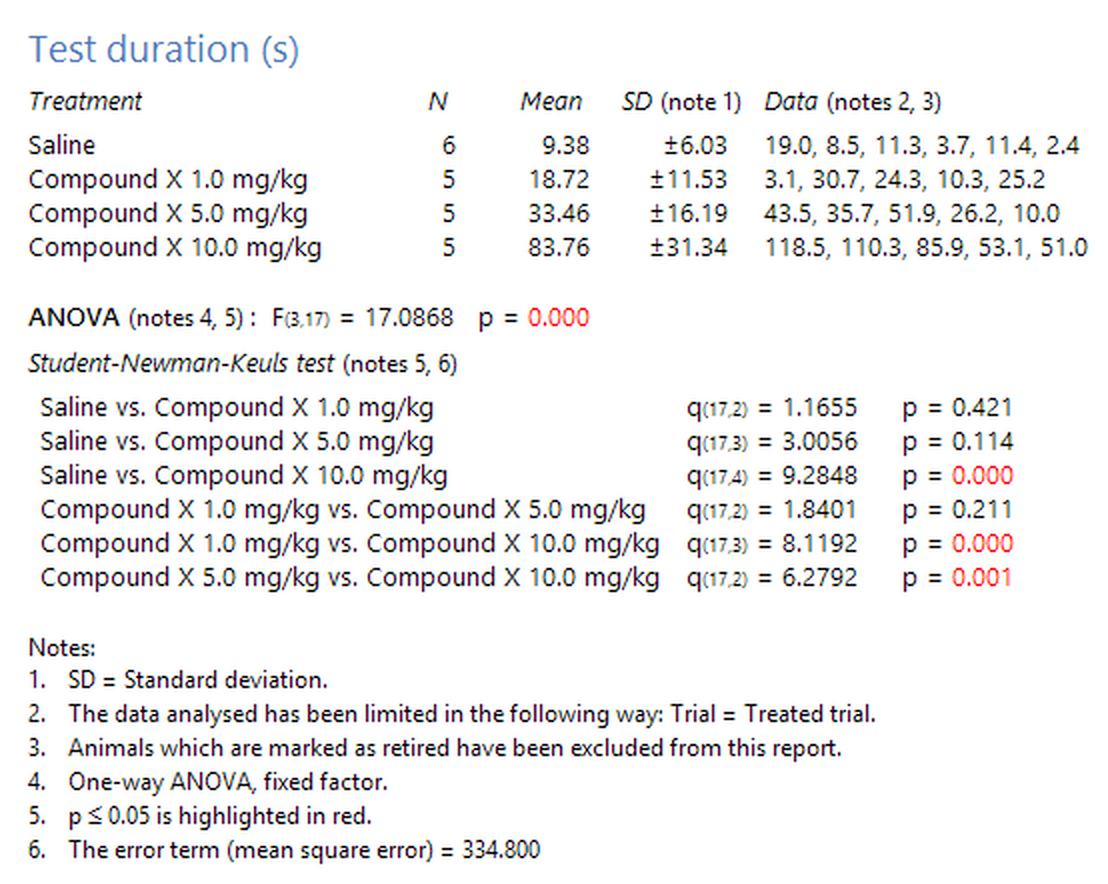
Figure 1. An example of a statistical analysis report.
To create a stats report you should:
| 1. | Switch to the Results page. |
| 2. | Select the  Statistical button in the Report style section of the ribbon bar. Statistical button in the Report style section of the ribbon bar. |
| 3. | If the report settings are not already displayed, click the  Edit report settings button in the Actions section of the ribbon bar. Edit report settings button in the Actions section of the ribbon bar. |
| 4. | On the Statistical analysis settings page you can: |
| • | Select the dependent variables you want to analyse |
| • | Select the independent variables you want to use |
| • | Specify the analysis you want to perform |
| • | Set optional information you want shown |
| • | Limit the data being analysed |
| 5. | Once you've specified the settings you want to use, you should click the  View the report button in the Actions section of the ribbon bar. View the report button in the Actions section of the ribbon bar. |
Changing the level of significance (alpha) for statistical tests
Note that the level of significance (alpha) for statistical tests can be changed using the Analysis options on the Protocol page, and you can use the  Set alpha button in the ribbon bar to take you directly from the Results page to the relevant part of the protocol.

© Copyright 2003-2026 Stoelting Co. All rights reserved
ANY-maze help topic T0847