ANY-maze Help > The ANY-maze reference > The Results page > Viewing results in text reports > Specifying how the data should be grouped in a text report
Specifying how the data should be grouped in a text report

In brief
A text report shows the results of measures for groups of tests. For example, a text report which is grouped by Treatment would show the results for each treatment group in the experiment - see figure 1.
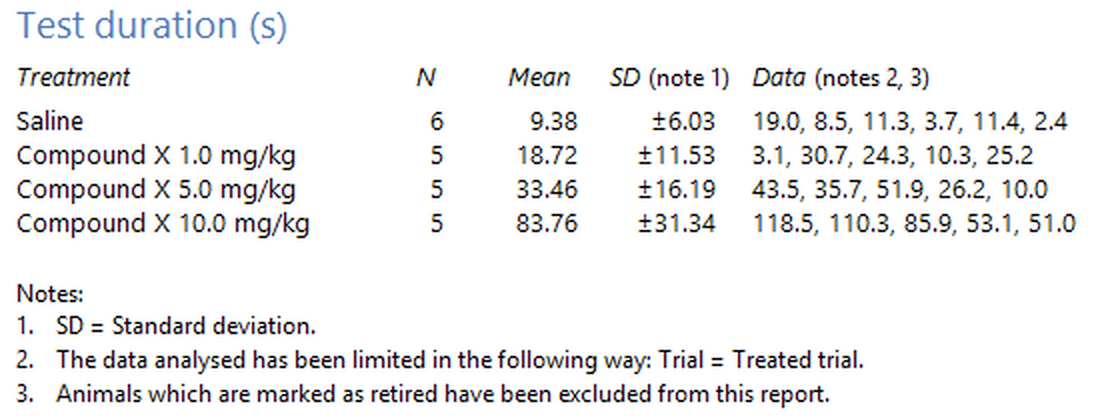
Figure 1. A text section grouped by treatment.
You can select up to three nested groups, where the nesting causes groups to be further subdivided - see figure 2.
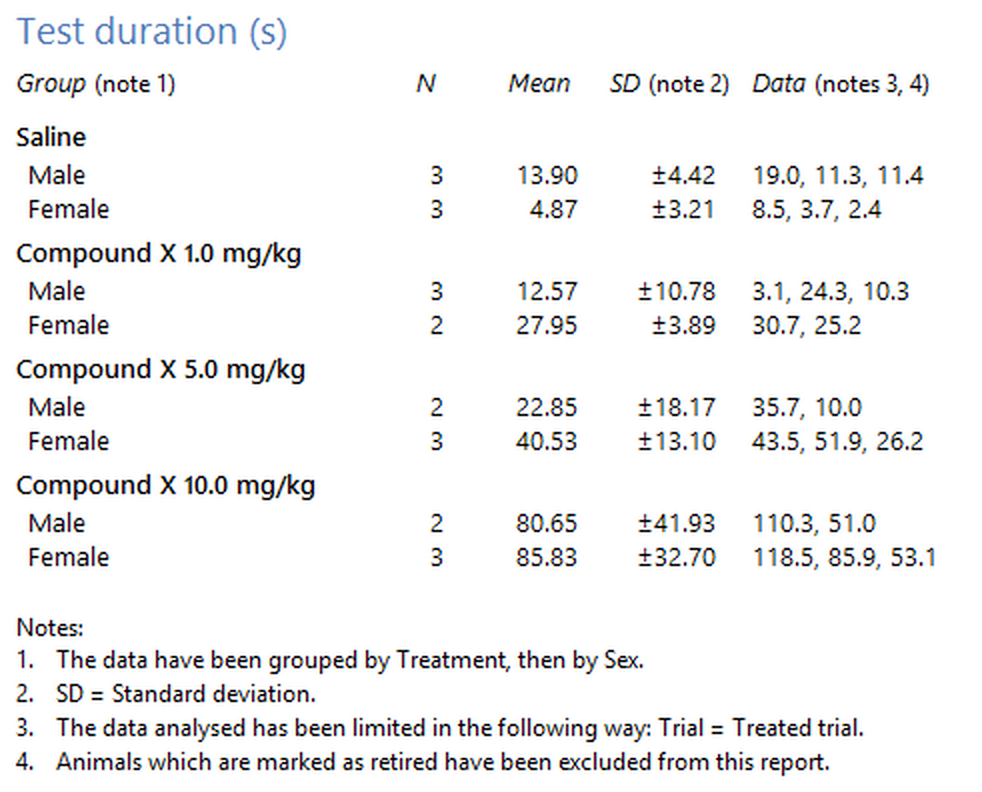
Figure 2. A text section grouped by treatment and then by sex.
Details
You must select at least one group. If what you really want is just the raw data without any grouping or analysis, then you should probably use the spreadsheet shown on the Data page.
The  Clear report settings button in the ribbon bar can be used to reset all the report settings back to their defaults.

© Copyright 2003-2026 Stoelting Co. All rights reserved
ANY-maze help topic T0838