ANY-maze Help > The ANY-maze reference > The Results page > Viewing results in text reports > Limiting the data included in a text report
Limiting the data included in a text report

In brief
By default, a text report will include all the tests performed in the experiment. However, there may be occasions when you're not interested in results of particular tests and you'd like them to be excluded from the report.
For example, in a water-maze experiment you might train the animals to find an island, then treat them and then test them again to see whether the treatment has affected their ability to find the island. In this experiment you would probably be most interested in the results of the post-treatment tests and perhaps the last training tests (which you could use for comparison). However, the earlier training tests would be of little actual interest.
To actually choose which tests are included, you should use the list shown at the bottom of the Text report settings page - see figure 1.
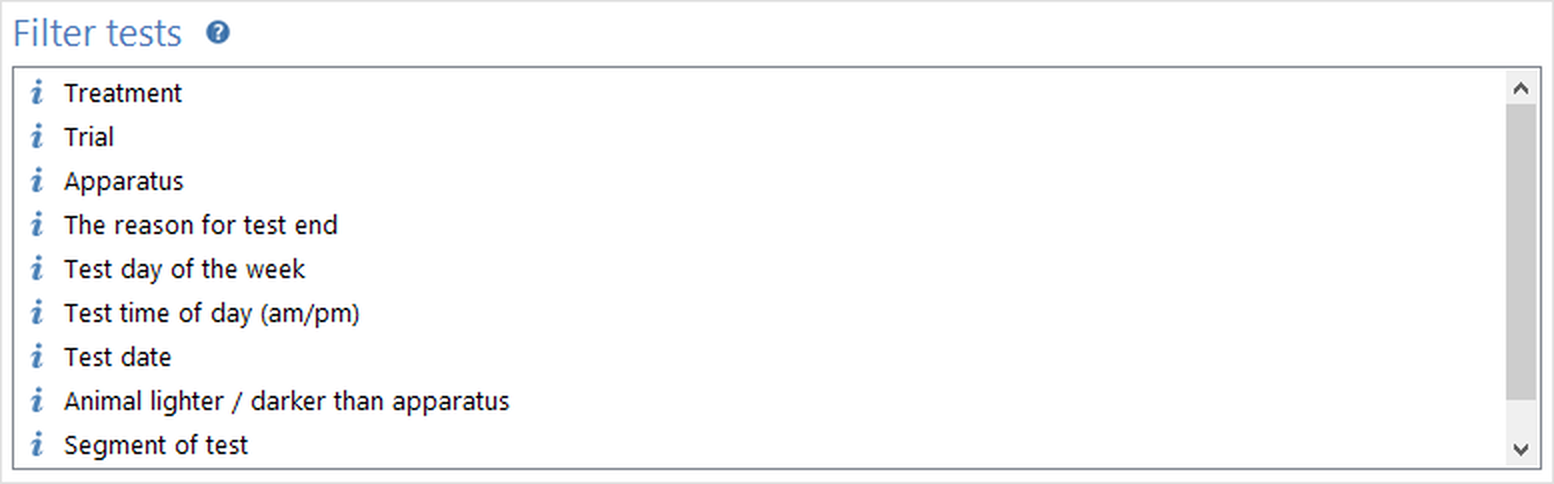
Figure 1. The list of measures used to limit the tests included in a text report.
Details
The list includes various measures - clicking a measure's name expands the list to show the individual values of the measure. For example, one of the measures listed is Treatment - clicking it will show a list of the experiment's treatments - see figure 2.
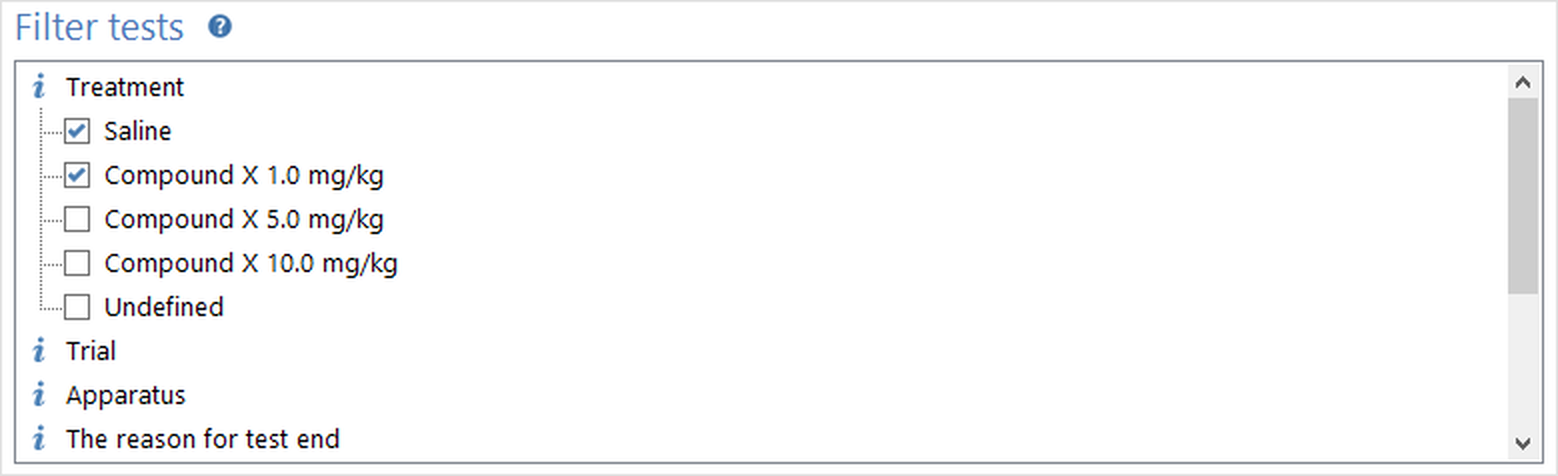
Figure 2. In this case the report will just include those tests performed on animals which received the treatments 'Saline' or 'Compound X 1.0 mg/kg'.
To limit the tests you should select items you want included - for example, in figure 2 the report will include all the tests performed on animals which received the treatments 'Saline' OR 'Compound X 1.0 mg/kg'.
You can choose to limit the tests based on more than one measure - for example you could also open the Trial measure and select just the Re-test trial. In this case only the tests which match the selected treatments AND the selected trials would be included. So, in our example, just the Re-test trials performed on animals which received the treatments 'Saline' OR 'Compound X 1.0 mg/kg' would be included in the report.
If you want to select a block of items within the same group then you can use a 'shift-click' as follows: Click the first item you want to select, then hold down the shift key on the keyboard and click the last item you want to select. All the items from the first to the last (inclusive) will change to the same state as the LAST item now has. This works whether you're selecting or deselecting items - all the items simply change to have the same state as the LAST item you click.
Note that if you don't select anything at all in this list, then all tests will be included.
Limiting analysis to certain 'segments' of tests
One of the measures you can use to limit a report is Segment of test; however this doesn't work quite the same as other limiting measures. The important point to understand is that whenever you use the Segment of test measure, ANY-maze divides tests into segments and analyses them rather than analysing entire tests.
For example, if you are using 30 second segments and you limit a report to include the segments 0-30 and 30-60, then the report will show results for each segment and not for each test. This means that, in this example, you'd be given TWO results for each test, one for the period 0-30 and one for the period 30-60 and NOT, as you might expect, one result for the first 60 seconds.
The critical point is this: whenever you use the Segment of test measure, segments, rather than tests, become the entity that ANY-maze analyses.
The segment length is set using the Analysis across time options on the Protocol page, and you can use the  Set segment length button in the ribbon bar to take you directly from the Results page to the relevant part of the protocol.
Selecting trials
Limiting the tests to just those which match certain trials can be a little less obvious than it appears. Going back to the example from the start of this topic, you'll recall that we were interested in a post-treatment trial and the last training trial. However, for some animals the last training trial might have been trial 3, for others trial 4 etc. depending on how quickly they learnt the task. For this reason, when listing the Trials in a stage, ANY-maze includes not just the individual trials (trial 1, trial 2, etc.) but also Last trial which will match the last trial for each animal, irrespective of which trial it happened to be. (For obvious reasons the Last trial isn't listed for stages which consist of just a single trial).
Excluding retired animals
As you may know, ANY-maze allows you to mark an animal as Retired. This means that the results of any tests the animal has already had are maintained, but the animal doesn't receive any further tests.
Retiring animals is common in experiments which include some type of training - animals which fail to achieve the training goal are retired.
Ordinarily, tests performed on retired animals are still included in reports, but you can choose to exclude them by checking the box shown at the bottom of the settings page titled Don't include results for retired animals in the report.
The  Clear report settings button in the ribbon bar can be used to reset all the report settings back to their defaults, which includes removing all selections from the list of filters.

© Copyright 2003-2026 Stoelting Co. All rights reserved
ANY-maze help topic T0840