ANY-maze Help > I/O devices supported by ANY-maze > Test equipment designed specifically for ANY-maze > The Orofacial pain assessment device (OPAD) cage > Setting up an OPAD cage for first time use > Renumbering OPAD cages
Renumbering OPAD cages

Introduction
ANY-maze automatically gives cage numbers to all the OPAD cages connected to your computer. These numbers are sequential, starting at 1. However, ANY-maze can't know the physical order of the cages on your bench, so it's likely that numbers will be out of order, as in figure 1, below.
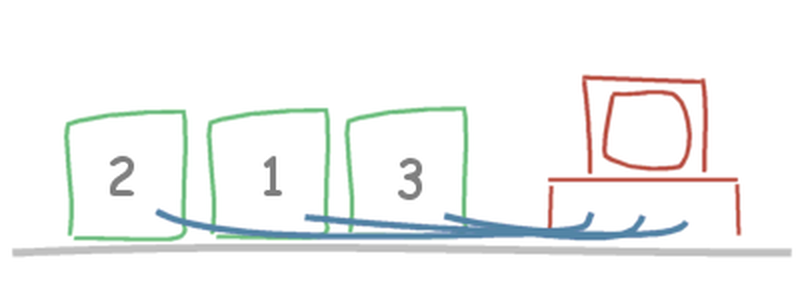
Figure 1. ANY-maze numbers the OPAD cages attached to your PC, but it can't guarantee to number them in the correct order.
Obviously you could correct the order simply by moving the cages around on the bench, but there's a much simpler solution - you can renumber the cages from within the software.
How to perform the renumbering
When you have more than one OPAD cage connected to your computer, ANY-maze will automatically include a  Renumber OPAD cages button in the ribbon bar on the I/O page. Selecting it will cause the OPAD cage renumbering window to open, which is used to actually perform the renumbering - see figure 2.
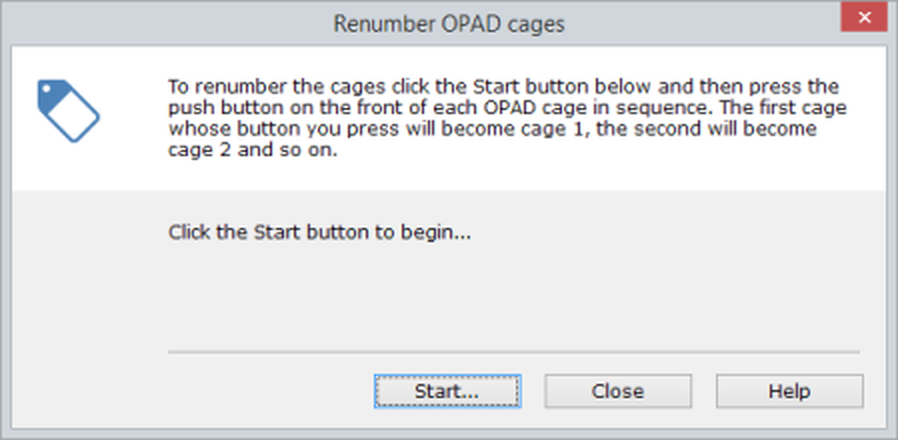
Figure 2. The window used to renumber OPAD cages.
To begin renumbering, click the Start... button in the window. This causes all the cages to have their numbers cleared and their displays will therefore all show 'Cage ?'. At this point, you simply have to press the buttons on the fronts of the cages (the same button as is used to start a test in the cage) to number the cages. The first cage whose button you press will be given the cage number 1, the second will be given cage number 2, and so on. As you press the buttons, the cage displays will update to show the number the cage has been assigned.
Details
If you press the button on the front of a cage more than once, ANY-maze will ignore you.
While a cage's number is shown as 'Cage ?', pressing the button will cause the cage to be given the next number in sequence and the display will change to show this, for example 'Cage 3', but after this the cage has a number and so pressing the button has no effect.
If you make a mistake, for example you press the wrong cage's button, then you can just click the Restart... button in the OPAD cage renumbering window - see figure 3.
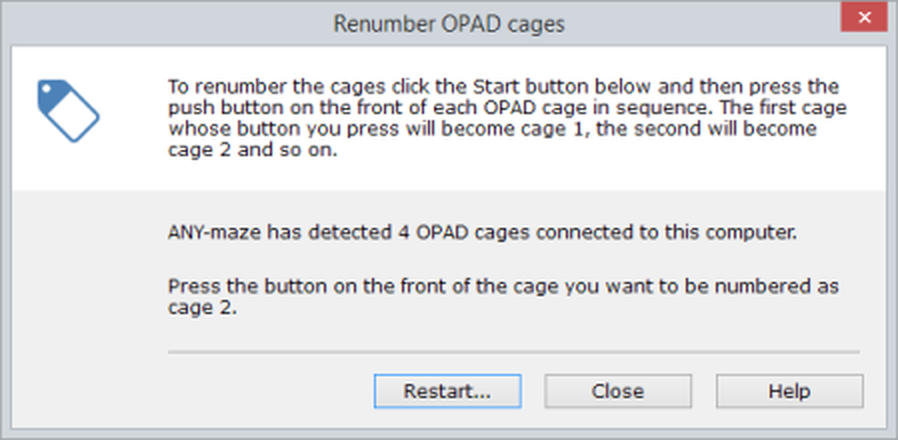
Figure 3. Clicking the Restart... button at any time causes all the cage numbers to be reset, and renumbering to begin again from 1.
Pressing the restart button sets all the cages back to having no number, so their displays all show 'Cage ?' again, and you restart the numbering sequence from 1.
When you finish renumbering the cages, the window will show a message telling you this and you can just click the Close button to shut the window. In fact you can close the window at any time, but if you do this before all the cages have been given numbers then ANY-maze will simply finish the numbering for you and, of course, it will probably not get the order right.
If, after you start the renumbering process, you plug in (or unplug) a cage, then the renumbering will be aborted and ANY-maze will automatically renumber the cages (including the newly plugged in cage) - of course it will probably give them numbers that are not in order. However, a message will be displayed to tell you that this has occurred, and you can just click the Restart button to begin the renumbering process again.
In the unlikely event that you have a disabled OPAD cage connected to your PC, then YOU should exclude it from the renumbering - that's to say you don't need to press its button, indeed doing so will have no effect. When you have pressed the buttons on all the enabled cages, the renumbering will end and ANY-maze will then automatically give any disabled cages the next numbers in sequence (so they will always have the highest numbers).

© Copyright 2003-2026 Stoelting Co. All rights reserved
ANY-maze help topic T1209