ANY-maze Help > The ANY-maze reference > Working with files and reports > Printing reports > Altering page set-up
Altering page set-up

Overview
The Page set-up window can be used to alter the paper size, orientation or margins. The changes you make will be retained by the system and applied to all documents that you print - note that other users have their own settings, so any changes you make won't affect them.
The Page set-up window is opened by clicking the  Print button in the ribbon bar, and selecting the
 Page set-up... option from the menu that appears.
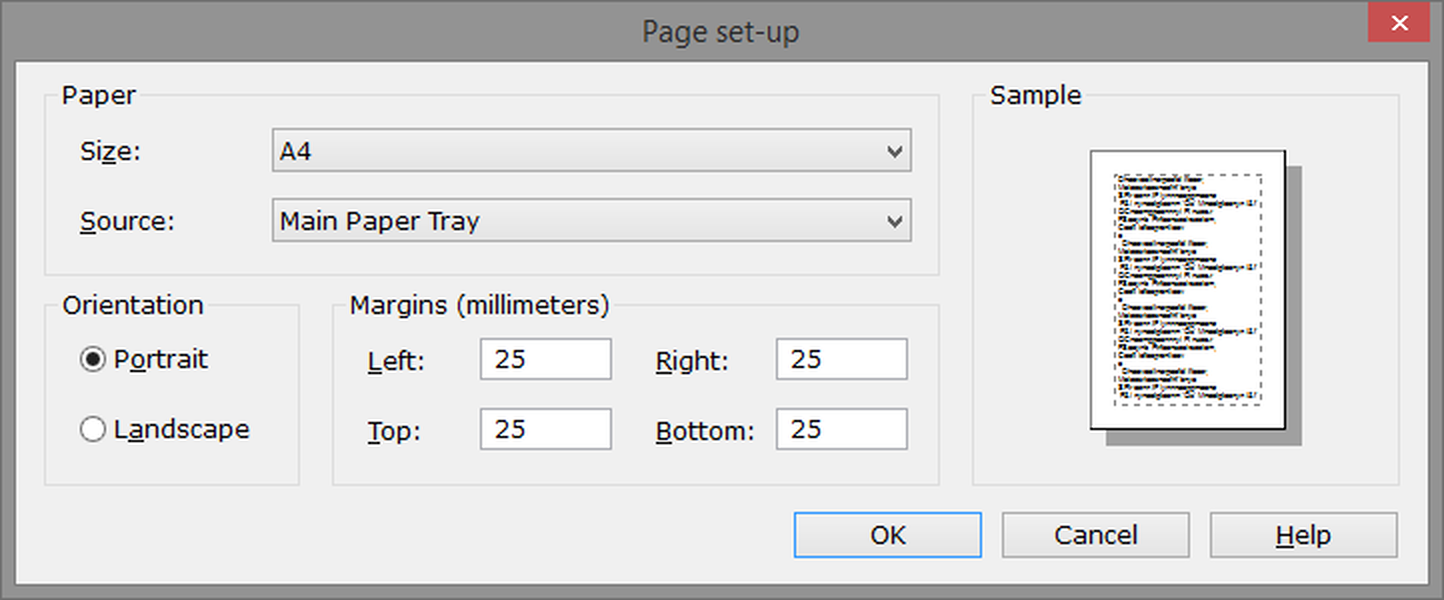
Figure 1. The Page set-up window, where you can set the paper size, orientation and margins of documents printed by ANY-maze.
Details
| Setting the paper size | You should check the size of the paper that's actually in your printer, and then use the Paper size list to tell ANY-maze what it is - the most common sizes are Letter and A4, but there's a whole range of common sizes to choose from. By the way, if you choose the wrong size then documents may get cut off at the bottom or the sides. |
| Setting the paper source | A lot of modern printers have more than one paper tray. If this is the case for your printer, you can choose which tray to use by selecting it in the Paper source list. If this is set to 'Auto' (which may be the only option, if your printer doesn't have multiple trays) then it's usually best to leave this setting as it is. |
| Setting the page orientation | If you wish to, you can pick the orientation in which documents will be printed - either portrait or landscape. You should note, however, that a few documents in ANY-maze will automatically set their own orientation, irrespective of what you choose here. |
| Setting the page margins | You can alter the margins on all sides of the page by simply entering the desired margin sizes (in millimetres) into the respective fields. If you plan to hole-punch or bind the printed pages, then it's usually a good idea to set the left margin bigger than the right. If you include headers or footers on your documents, then ANY-maze will start the header or footer at the margin you set here, and will then use its own standard sized margins between the header/footer and the body of the document. |
See also:
| • | Using the print window to control how a document is printed |
| • | Setting headers and footers to print on documents |
| • | Setting options to print pages in reverse order and/or in black and white. |

© Copyright 2003-2026 Stoelting Co. All rights reserved
ANY-maze help topic T0988