ANY-maze Help > The ANY-maze reference > The Video page > Setting up video devices > RTV-24 configuration
RTV-24 configuration

Overview
If you have one or more RTV-24 digitizers installed in your computer, then the Set up video devices window will include a button to configure the devices. The Configure selected device... button will open this window, where you can specify the default camera type you will use with the digitizer and which devices, if any, have RTV-E4 extension boards fitted.
 | Use the  Set up video devices button on the Video page to open the Set up video devices window. |
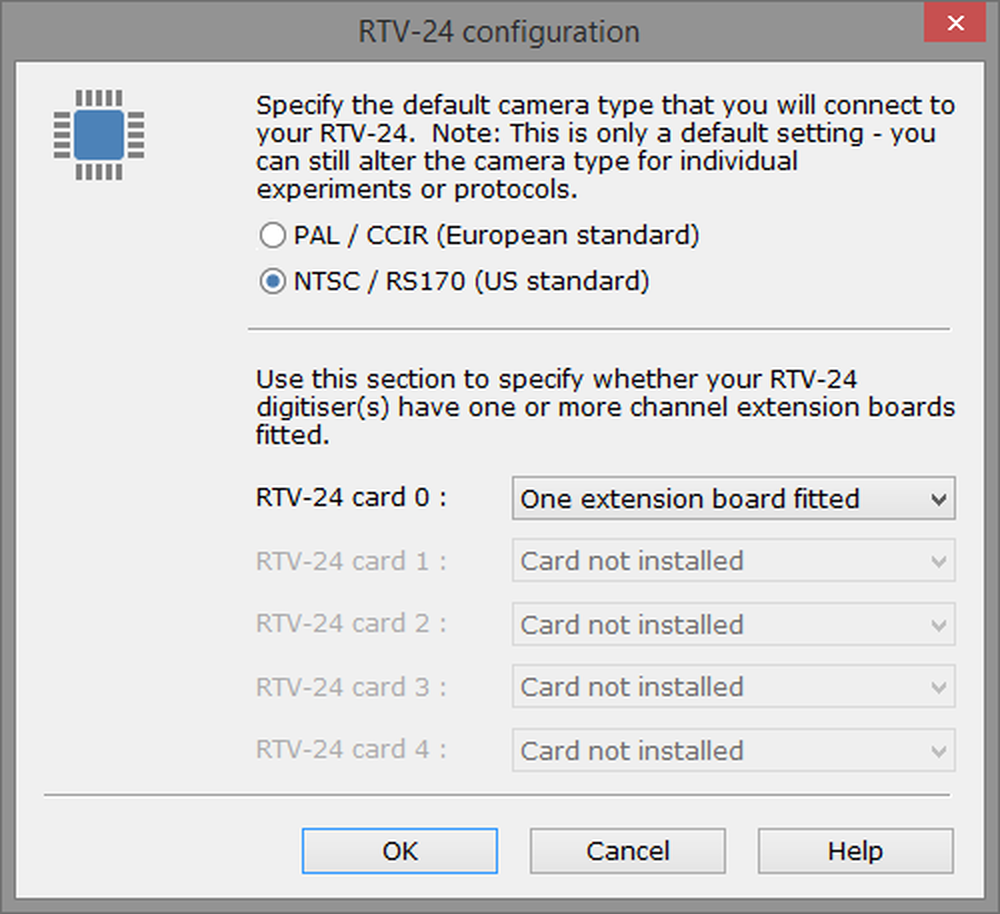
Figure 1. The RTV-24 configuration window
Specifying the default camera type
To function correctly, the RTV-24 needs to know whether the camera connected to it uses the PAL (European) or NTSC (US) video standard. You can use the options here to specify which camera type you will normally be using.
Note that this setting is just a default; you can still use the options on the Video signal page of the Camera/Digitizer properties window to set the camera type for individual experiments and protocols.
Specifying whether extension boards are fitted
Each RTV-24 can optionally be fitted with up to three RTV-E4 extension boards. These boards add multiplexed channels to the four ports of the RTV-24. For example, if you have 2 extension boards fitted to RTV-24 card 0, then you will have 12 video inputs:
| • | RTV-24 card 0 Port 0, channel 0 |
| • | RTV-24 card 0 Port 0, channel 1 |
| • | RTV-24 card 0 Port 0, channel 2 |
| • | RTV-24 card 0 Port 1, channel 0 |
| • | RTV-24 card 0 Port 1, channel 1 |
| • | RTV-24 card 0 Port 1, channel 2 |
| • | RTV-24 card 0 Port 2, channel 0 |
| • | RTV-24 card 0 Port 2, channel 1 |
| • | RTV-24 card 0 Port 2, channel 2 |
| • | RTV-24 card 0 Port 3, channel 0 |
| • | RTV-24 card 0 Port 3, channel 1 |
| • | RTV-24 card 0 Port 3, channel 2 |
It's important to understand that these extra channels are multiplexed. This means that the extra channels share the port - or to put it another way, each port can connect to any one of the channels, but it can only do this for one channel at a time. Thus in the above example, while you could connect 12 pieces of equipment to your computer, you could only actually use 4 of them at the same time.
By the way, you're required to specify the existence of the RTV-E4 boards manually using this window, because there is no method provided by the RTV-24 device for ANY-maze to discover programmatically whether an RTV-E4 board is installed or not.

© Copyright 2003-2026 Stoelting Co. All rights reserved
ANY-maze help topic T0931