ANY-maze Help > I/O devices supported by ANY-maze > Accessories designed specifically for ANY-maze > The ANY-maze Animal scales > Setting up and testing the ANY-maze Animal scales
Setting up and testing the ANY-maze Animal scales

 | You MUST install the 'ANY-maze USB devices' driver software before you plug the ANY-maze Animal scales into your computer. You can do this from the Drivers part of the Support page. |
Introduction
There are four steps involved in setting up and testing the ANY-maze Animal scales:
| 1. | Install the 'ANY-maze USB devices' driver software |
| 2. | Connect the ANY-maze Animal scales to your computer |
| 3. | Configure the ANY-maze Animal scales |
| 4. | Test that the ANY-maze Animal scales are working |
Connecting the ANY-maze Animal scales to your computer
The ANY-maze Animal scales are supplied with a USB cable which plugs into a port on the back of the scales and into a USB port on your computer. This cable is required for ANY-maze to communicate with the animal scales.
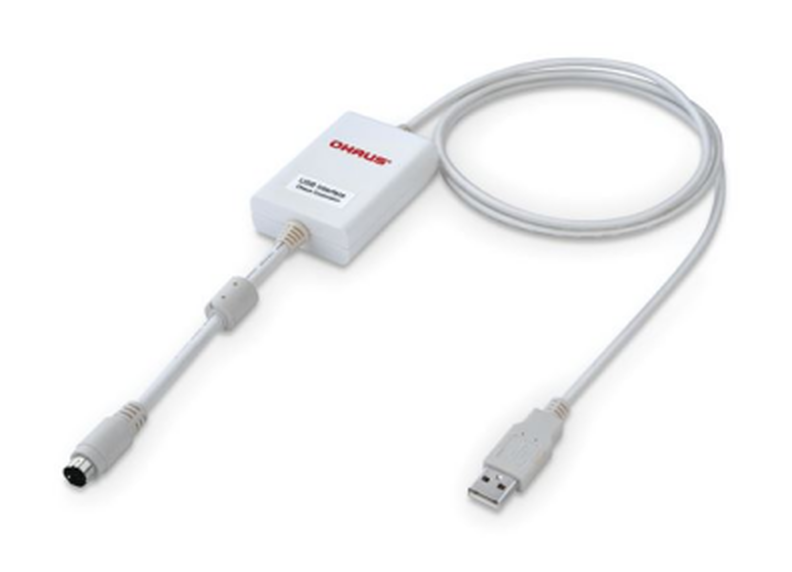
Figure 1. The USB cable supplied with the ANY-maze Animal scales.
Before using the scales with ANY-maze, they will need to be connected to the computer using this cable, and also to DC power (using the adapter supplied). When ANY-maze starts up it will attempt to communicate with the scales, which will cause them to switch on.
 | Although we don't recommend it, you can use the scales with batteries instead of connecting them to DC power. If you decide to do this then you will find that the scales don't turn on automatically when ANY-maze starts, instead you will need to start them manually by pressing and holding the Zero button for about 2 seconds. |
 | ANY-maze only supports one set of scales. If more than one set are connected, ANY-maze will use the first one that it finds. |
Configuring the ANY-maze Animal scales
Before using the scales for the first time, you should configure them:
| 1. | Start ANY-maze |
| 2. | Switch to the I/O page |
| 3. | Select the scales from the list on the left side of the page |
| 4. | Click the Configure this device button in the ribbon bar |
| 5. | The ANY-maze Animal scales configuration window will open, where you should enter the weight of your animal basket and its lid. |
Warning: Don't change use the scales' built-in menus to change their settings
In order to be able to use the scales within an experiment, ANY-maze needs them to be set up in a certain way (the scales need to be in 'Weighing' mode and reporting weights in grams). This set up is done automatically by ANY-maze when it starts communicating with the scales.
Changing any of the settings using the menu options on the scales themselves, might prevent ANY-maze from communicating correctly with the scales. Usually, ANY-maze will revert the settings to those that it needs, but this isn't always possible, so it's best to avoid using the scales' menus.
If the scales currently have a menu open, ANY-maze will be unable to communicate with them, and the scales will be reported as 'Scales not ready'.
Testing the ANY-maze Animal scales
After connecting the ANY-maze Animal scales to your computer and configuring them, it's a good idea to test that they are working correctly - this is easily done using the I/O page.
| 1. | First of all, you'll need to zero and tare the scales (You'll be reminded to do this whenever the scales are turned on, or after changing the scales' configuration). To do this, remove the basket from the scales and press the Zero button on the front panel of the scales. The weight on the scales should show 0.0g. Add the basket (without an animal), and the lid if you're going to be using one while you weigh animals, and then press the Tare button - again, the scales should read 0.0g. |
| 2. | Open the ANY-maze Animal scales in the list on the left-hand side of the I/O page. |
| 3. | The right-hand side of the page will show the current state of the scales. |
| 4. | Make sure that the scales are ready to weigh the animal - the current state should show the text Weigh the animal. If it doesn't, see below for what to do. |
| 5. | Put an animal or something of a similar weight onto the scales. |
| 6. | The display on the I/O page will show that the scales are now Weighing - and will show the time remaining for the weighing process. (Because you'll be weighing live animals, which may move around, ANY-maze measures the weight over a few seconds and takes the average weight during this time.) |
| 7. | When the weighing process is complete, the right-hand side of the page will show the Animal weight in grams. |
Possible states of the ANY-maze Animal scales
The ANY-maze Animal scales can be in any of the following states:
| Ready | The scales are ready for an animal to be weighed. Place the animal in the animal basket to start weighing. |
| Weighing | An animal is on the scales, and being weighed - the time remaining is shown, in seconds. |
| Weighed | The animal has been on the scales for the required time, and the average weight has been measured. This weight is shown in grams. |
| Not ready | The scales may be initialising, in which case they'll switch to the Ready state within 10 seconds. Otherwise, this indicates that the scales have not been correctly prepared, and so the animal cannot be weighed. In this situation you should first place the empty animal basket on the scales; if after about a second, the scales do not show a status of 'Ready' you may also need to re-zero them. To do this: |
1. Remove the basket from the scales
2. Press the Zero key on the scales - the display should show 0.0g
3. Place the basket on the scales
4. Press the Tare key on the scales - again, the display should show 0.0g
After doing this, you should find that the scales automatically switch to the Ready state.
| Needs taring | After removing the animal from the basket, the weight may not revert to exactly 0.0g (for example, if urine or faeces remain in the basket). ANY-maze will detect this automatically and will suggest that the scales need taring; You can either remove the basket and clean it before continuing, or simply press the Tare button to zero the scales ready for the next animal. |
If you have any problems getting the ANY-maze Animal scales to behave as you expect, just contact ANY-maze Support who will be happy to help.
See also:
| • | Using the ANY-maze Animal scales in an experiment |
| • | The ANY-maze Animal scales specification |

© Copyright 2003-2026 Stoelting Co. All rights reserved
ANY-maze help topic T1144