ANY-maze Help > The ANY-maze reference > The I/O page > Making I/O connections > Connecting running wheels
Connecting running wheels

Details
Clearly, you can't actually connect to a running wheel, as wheels don't have any type of electrical connection, but you can have the wheel turn a device called a rotary encoder and then connect the encoder to an ANY-maze interface. An example of a rotary encoder is shown in figure 1.
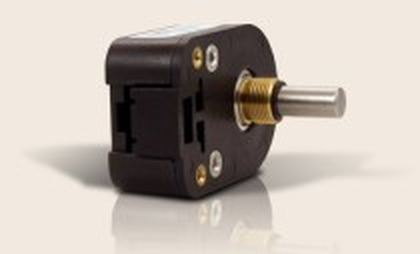
Figure 1. A typical rotary encoder.
As you can see, the encoder has an axle and what it does is to 'encode' rotations of this axle; so, if you were to mount a running wheel on the axle you could see how many rotations it makes.
The specific type of encoder which can be used with ANY-maze is one which outputs a TTL level quadrature signal (they're sometimes called quadratic encoders). These encoders have 4 connections: Power (5V), GND, Signal A and Signal B. They can be connected to the ANY-maze Digital interface rotary encoder ports where each encoder will connect as follows:
| • | Pin 1 : Signal A |
| • | Pin 2 : Power |
| • | Pin 3 : Signal B |
| • | Pin 4 : Ground |
After making these connections, you will need to configure the ANY-maze Digital interface so that it knows that the port you've connected to is being used by a rotary encoder - specifically you should set the port to be a 'Rotary encoder'. You will also need to specify the number of pulses per rotation that the encoder outputs - this information will be available in its datasheet.
You should then test that the encoder is working correctly using the I/O page, where you'll want to select the relevant ANY-maze interface's Rotary encoder ports. You may find that when you turn the running wheel clockwise ANY-maze sees it as turning anti-clockwise. If this happens then you can go back to the ANY-maze Digital interface configuration, select the port and set the option to Invert the direction of this encoder. Another common issue is to find that when you turn the encoder through a complete turn ANY-maze only sees a half turn (or sometimes it sees two turns). In these cases you again need to go back to the ANY-maze Digital interface configuration and there adjust the number of pulses per rotation - in the first case you should halve the number you originally entered, in the second case you should double it.
To actually use a running wheel mounted on a rotary encoder, you'll need to add it to the protocol as a 'Rotary encoder input'.
See also:
| • | The ANY-maze Digital interface |
| • | The ANY-maze Digital interface rotary encoder ports |
| • | Configuring the ANY-maze Digital interface |
| • | An introduction to rotary encoders |

© Copyright 2003-2026 Stoelting Co. All rights reserved
ANY-maze help topic T0910