ANY-maze Help > I/O devices supported by ANY-maze > Accessories designed specifically for ANY-maze > The ANY-maze remote start switch
The ANY-maze remote start switch

Introduction
The ANY-maze remote start switch is simply a hand-held, push-button switch that plugs into a USB port and which can be used to start (and stop) tests at a distance from the computer.
The switch is attached to a 30 foot cable, which means it can easily be placed close to the apparatus even when the computer is in a different room (we can also provide extensions, if 30 feet is not long enough).
| • | Connecting and testing the remote start switch |
| • | Using the ANY-maze remote switch |
Connecting and testing the remote start switch
Installing the driver
 | You must be running ANY-maze as an administrator in order to install drivers. To do this, right-click on the icon you use to start ANY-maze and then select 'Run as administrator' from the menu which appears. (If you run ANY-maze by clicking on an icon in the Windows task bar at the bottom of the screen, then you should right-click the icon, then right-click the entry that reads 'ANY-maze' and then select 'Run as administrator' from the menu which appears). |
IMPORTANT: You should install the driver software BEFORE you connect the Remote start switch to your computer.
The driver software is a standard component of the ANY-maze system and can be installed from within ANY-maze itself by following these steps:
| 1. | Close any open experiment. |
| 2. | Switch to the Support page. |
| 3. | In the list on the left side of the page, select Drivers. |
| 4. | The right-hand side of the page will display the ANY-maze driver settings (see figure 1, below) and towards the top of the list you will see an entry for ANY-maze USB devices which will report the current installed-state of the driver. |
| 5. | If the driver is not installed, then first select it in the list and then click the  Install driver button in the ribbon bar. If the button is disabled, it means you are not running ANY-maze as an administrator - see the note above. Install driver button in the ribbon bar. If the button is disabled, it means you are not running ANY-maze as an administrator - see the note above. |
For further details, see the ANY-maze USB device driver topic.
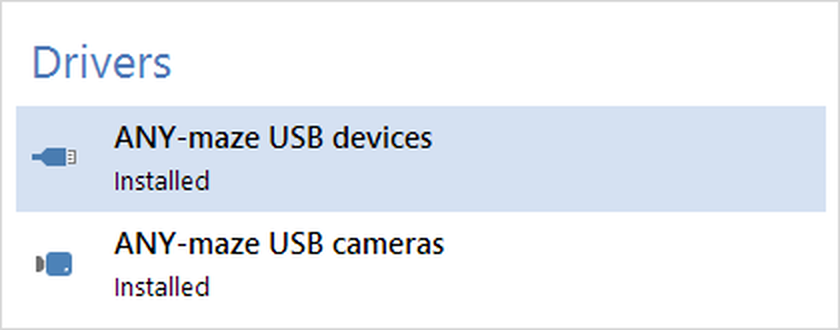
Figure 1. To install the driver, you should select the ANY-maze USB driver entry and then click 'Install' in the ribbon bar.
Connecting the switch
The remote start switch simply plugs into a USB port on your computer. It can connect to any port, including ports on USB hubs. The cable is powered directly from the USB port and draws a current of just 70mA, so it should work correctly even with an unpowered hub.
Testing
Once the switch is connected, you can test it very easily:
| • | Start ANY-maze. |
| • | Switch to the I/O page - there you should see the Remote switch listed on the left side of the page. |
| • | Click the remote switch in the list and it will open to show a list of ports. Select the Input switches entry. |
| • | The right-hand side of the page will then show a graphical representation of the switch. Press the switch and it should be shown active (green), release it and it should be shown inactive (red). |

© Copyright 2003-2026 Stoelting Co. All rights reserved
ANY-maze help topic T1185