ANY-maze Help > The ANY-maze reference > The Options page > Specifying default protocol settings
Specifying default protocol settings

Overview
When you create a new experiment within ANY-maze, the protocol is initialised with sensible default settings. You may well change several of these to fit in with your way of working, and it can become frustrating if you have to change the same settings for every new protocol that you create - for example, you may always want to use your own animal IDs rather than the animal numbers assigned automatically by the software.
This page allows you to alter some of the defaults set by ANY-maze for new protocols, so that you don't have to always change them.
| • | Accessing the settings to alter the defaults |
| • | Available settings |
 | The settings that you change here will only take effect for the current user. |
Accessing the settings to alter the defaults
To access the Default settings, select the Options page and then click the  Default settings option in the left-hand side bar.
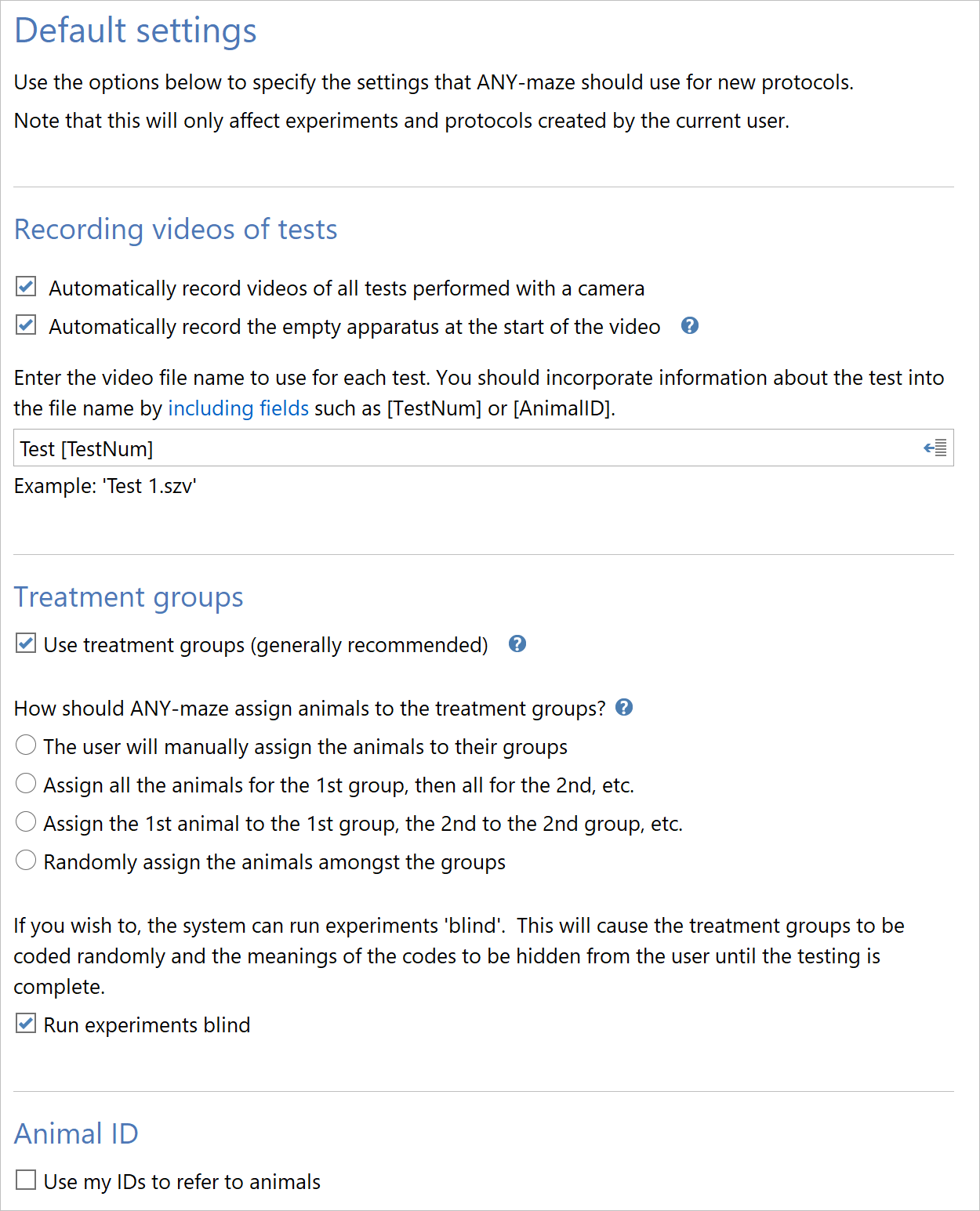
Figure 1. The Default settings part of the ANY-maze Options page.
Available settings
You can set the defaults for the following parts of the protocol:
Recording videos of tests
These options will set up the default settings for recording of videos during tests. Full details of these settings can be found in the Recording videos of tests help topic in the reference section for the Protocol page.
Treatment groups
These options will set up the default settings for use and assignment of treatments to your animals. Full details of these settings can be found in the Treatment groups help topic in the reference section for the Protocol page.
Animal ID
These options will set up the default settings for use of Animal IDs in your experiment. Full details of these settings can be found in the Animal ID help topic in the reference section for the Protocol page.
See also:
| • | ANY-maze options |
| • | Recording videos of tests |
| • | Treatment groups |
| • | Using animal IDs |

© Copyright 2003-2026 Stoelting Co. All rights reserved
ANY-maze help topic T0939