ANY-maze Help > The ANY-maze reference > The Options page > Changing ANY-maze terminology
Changing ANY-maze terminology

Overview
ANY-maze is full of terms such as Treatments, Apparatus, Zones, Measures, etc. While the meaning of these terms is hopefully clear, it might be that you're accustomed to calling Zones 'Areas' or you might find it clearer if Measures were referred to as 'Parameters'.
While you can probably survive the inconvenience of having to adapt to new terminology, you might prefer it if the system could adopt your terminology rather than the other way round. Well it can - that's what the terminology settings on the Options page are for. Here, for example, you can tell the system that rather than calling a zone a zone, it should call it an 'area.' There are quite a few terms that you can redefine, and while you probably won't want to change them all, you may find it useful to alter a few.
By the way, changes to the terminology affect everything in the system - menus, windows, reports, and even these help topics!
| • | Accessing the terminology settings |
| • | Changing terms |
Accessing the terminology settings
To access the Terminology settings, select the Options page and then click the  Terminology option in the left-hand side bar.
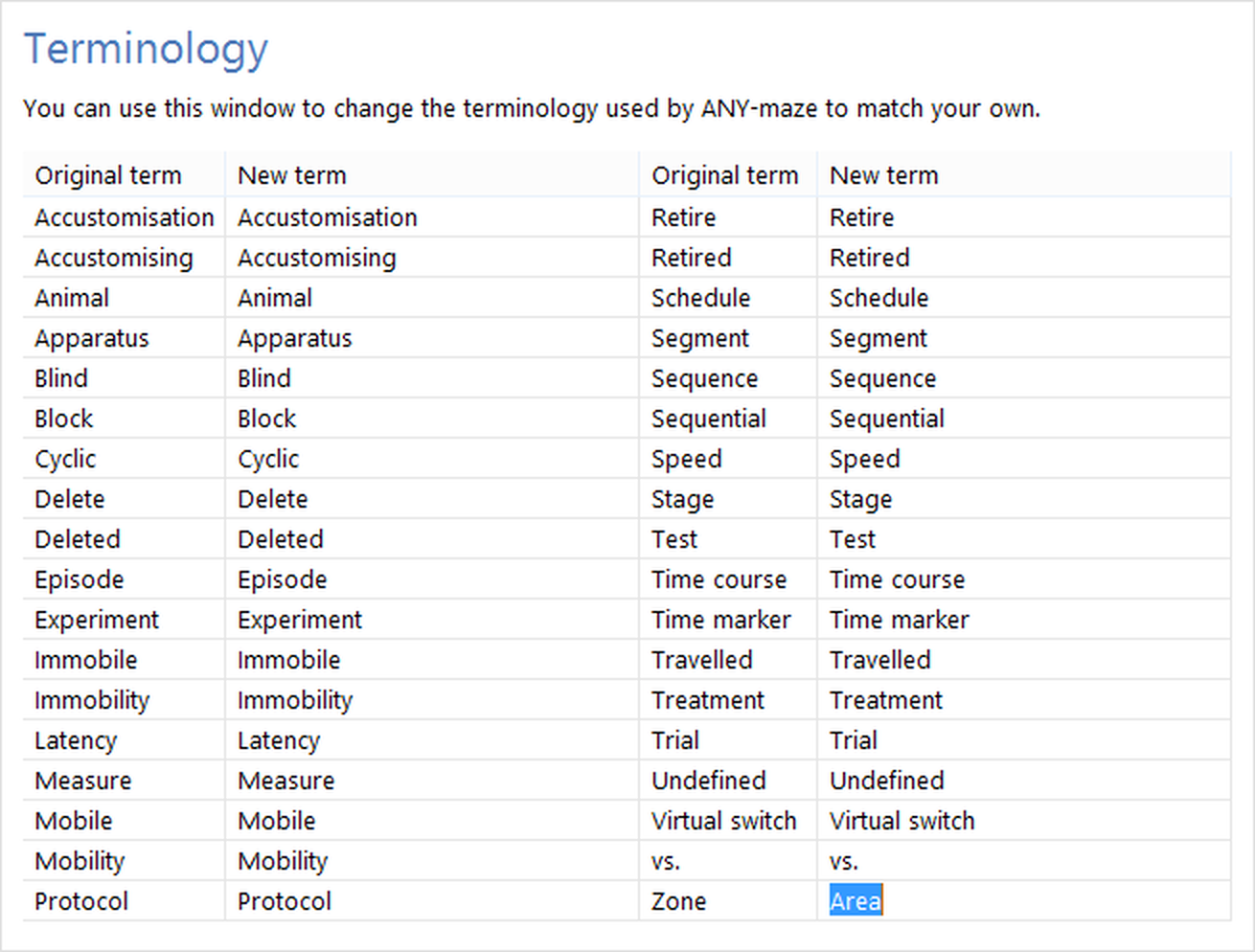
Figure 1. The Terminology settings on the ANY-maze Options page. You can see that the term for 'zone' has been changed to 'area'.
Changing terms
To change a term you simply need to delete the entry shown in the relevant 'new term' cell and type in your term instead.
You don't need to worry about plural versions of terms, as ANY-maze will cope with this automatically. However, where a term is a particular word type, for example the past participle - as in Deleted, then you should ensure the new term is the same type, in this case perhaps 'Removed'.
You should match the case of the new term with that of the original term - in most situations this means that a new term should be in lower-case except the first letter, which should be a capital. For example, you'd want to replace the term Deleted with 'Removed' and not 'REMOVED' or 'removed'.
If you change some terms and later want to revert to the system's standard terminology, then you can simply click the  Restore defaults button in the ribbon bar.
See also:
| • | ANY-maze options |

© Copyright 2003-2026 Stoelting Co. All rights reserved
ANY-maze help topic T0944