ANY-maze Help > The ANY-maze reference > The Protocol page > The elements of a protocol > Apparatus > I/O Devices > An introduction to I/O devices
An introduction to I/O devices

Introduction
In a protocol, an I/O device represents the physical device which connects inputs and outputs to your computer.
For example, imagine you want to connect a temperature sensor to your computer - how would you do that? Obviously you'd need the sensor itself, but you'd also need some type of interface device which would connect the sensor to your PC - this is what ANY-maze calls an I/O device.
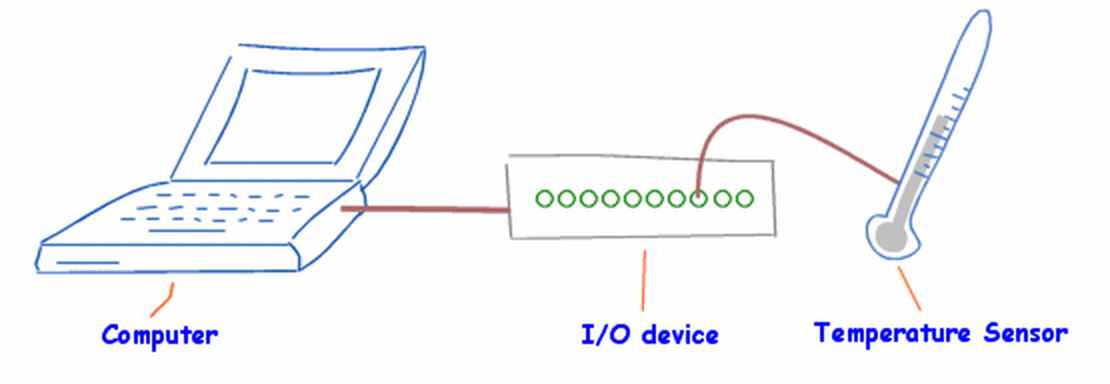
Figure 1. An I/O device being used to connect a temperature sensor to your PC.
A good example of this type of interfacing I/O device are the ANY-maze interface device family which can interface all sorts of inputs and outputs to your machine.
In fact, in some cases the I/O device and the actual inputs or outputs are the same physical thing. For example, the OPAD cage is an I/O device that has two touch-switch inputs, a weight sensor, a temperature sensor and a temperature controller built-in. ANY-maze views this single physical device as consisting of both an I/O device and various individual inputs and outputs.
The important thing to understand about I/O devices is that in order to include individual inputs (such as photobeams or sensors) or outputs (such as switches or speakers) in a protocol, you must first have included the device they connect to (or are part of). For example, in order to include the temperature sensor shown in figure 1 in your protocol, you would first have to add the I/O device and then add the temperature sensor itself.
Why I/O devices are necessary
There are two reasons why I/O devices are part of the protocol. First, including a device in the protocol ensures that you can then include the physical inputs or outputs connected to it (or that are part of it). So in the example in figure 1, if you didn't include the interface in the protocol, ANY-maze would not know about the temperature sensor (connected to it) and so you wouldn't be able to sense any temperatures in your experiment.
The second reason is that the I/O device element in the protocol allows you to configure the device. For example, the ANY-maze Digital interface includes 6 General Purpose I/O ports (known as GPIO ports). Each GPIO port can be configured to work in a number of different ways; for example, a port can be configured (amongst other things) as a TTL output or as a photobeam input. Now imagine you want to connect 6 photobeams to ANY-maze - you would first need to include the ANY-maze Digital interface in your protocol, then configure it so that the 6 GPIO ports were all set to be photobeam inputs, and only then would you be able to add the individual photobeams to the protocol.
Using multiple I/O devices
You can include any number of I/O devices in a protocol. They don't all need to be the same type - for example, you could include two Soundcards and an ANY-maze Digital interface. This would mean that all the inputs and outputs on all these devices would be available for use in your experiment.
See also:
| • | Setting up an I/O device |
| • | Editing an I/O device |
| • | Deleting an I/O device |

© Copyright 2003-2026 Stoelting Co. All rights reserved
ANY-maze help topic T0109