ANY-maze Help > The ANY-maze reference > The Protocol page > The elements of a protocol > Inputs and outputs > Speakers > Setting up a speaker > Specifying an audio tone
Specifying an audio tone

Introduction
ANY-maze can play audio tones in the range 65Hz to 32000Hz. You can use the Audio tone window to specify the exact frequency of a tone you wish to play, either by entering the frequency itself or by specifying the tone as a musical note.
 | Although ANY-maze can play tones from 65Hz to 32000Hz, your audio device is unlikely to have such a wide range. For example, the ANY-maze Audio interface can play tones up to 22,050Hz - if you specify a value above this, it will be played at 22,050Hz. |
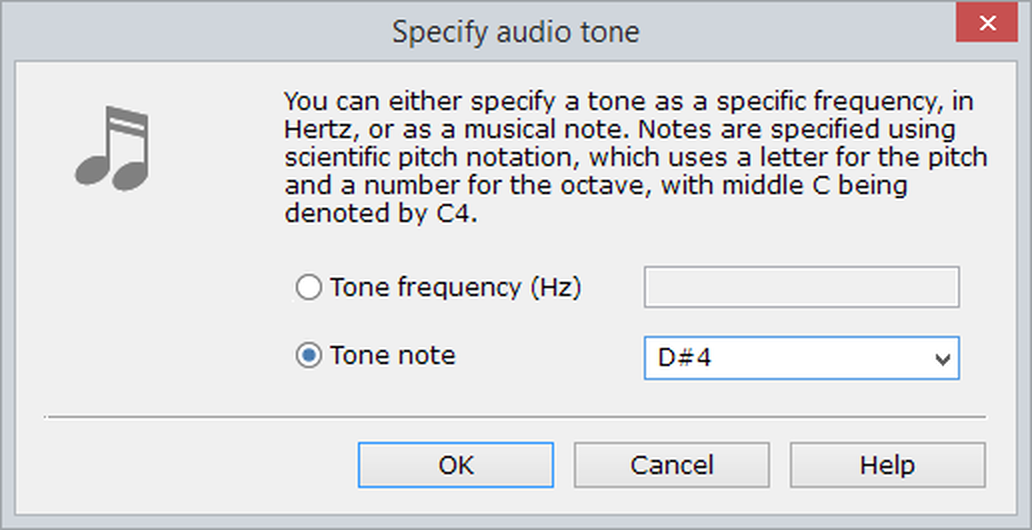
Figure 1. The 'Specify audio tone' window.
Specifying a tone as a frequency
To specify a tone of a certain frequency, simply enter the frequency into the frequency field. The value you enter will automatically be clipped to the range 65-32000Hz, which is the range of frequencies that ANY-maze can play.
Specifying a tone as a note
As an alternative to specifying the actual frequency of a tone, you can specify it as a note instead - for example, you could specify the tone as Middle C, which has a frequency of 261.63Hz
ANY-maze uses Scientific pitch notation to name notes. This system uses a letter (and sometimes the accidental '#', meaning sharp) to specify the note's pitch and a number to specify the note's octave, where middle C is denoted by C4. Thus, for example, the note G#3 is G sharp in the octave below middle C. For further details, refer to Scientific pitch notation.
ANY-maze can play all notes from C2 to B7.

© Copyright 2003-2026 Stoelting Co. All rights reserved
ANY-maze help topic T0206