ANY-maze Help > The ANY-maze reference > The Protocol page > The elements of a protocol > Tracking > Animals
Animals

Overview
ANY-maze detects animals by looking at the contrast between them and the background of the apparatus. Thus, for ANY-maze to track successfully, the animals must be either lighter or darker than the background (or both). That said, even a very small level of contrast is usually sufficient for ANY-maze to track well - see figure 1.
Just knowing whether the animals are lighter or darker than the background is sufficient for ANY-maze to track the animal's centre, but to track the head and tail, ANY-maze analyses the shape of the animals - which of course depends on the type of animal; a quail has quite a different shape to a mouse!
You must therefore specify both the animals' type and their 'colour' in order to track them. You do this using the options on the Animals element of the protocol.
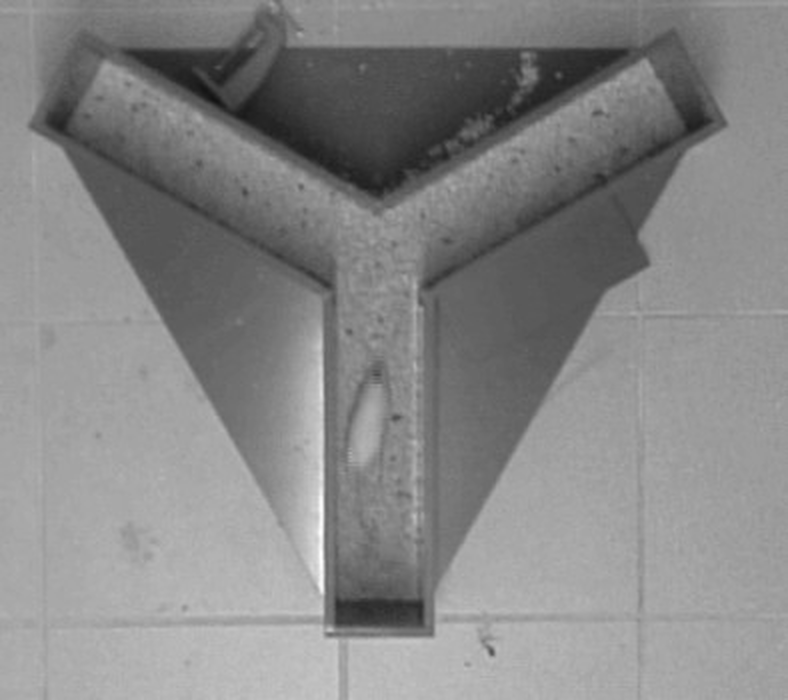
Figure 1. There's very little contrast between this white mouse and the sawdust in the Y-maze, but by telling ANY-maze that the animal is lighter than the background the system is still able to track accurately.
When your protocol includes a hidden zone, you will also need to specify the animal's approximate length.
| • | Specifying the type of animal |
| • | Specifying the animal's colour |
| • | Specifying the animal's length |
| • | Adjusting the contrast sensitivity |
Specifying the type of animal
As mentioned above, ANY-maze needs to know the type of animal in order to track the head and tail; it also uses this information to improve the performance of the Automatic starting of tests. If you're not interested in the head or tail position and you are not using auto-start, then it actually makes no difference what animal type you choose. Note that tracking of the centre point works for all animal types.
| • | Mice |
| • | Rats (other than hooded rats) |
| • | Hooded rats, such as Long Evans or Lister hooded |
| • | Quail |
| • | Some other animal |
Mice or rats (other than hooded rats)
These are the classic settings for tracking the animals head and tail. You will also need to specify whether the animals are lighter or darker than the apparatus background.
The animals are hooded rats
 | This is a beta feature; it may not function perfectly. |
This option is for tracking so called hooded rats, such as Long Evans or Lister hooded.
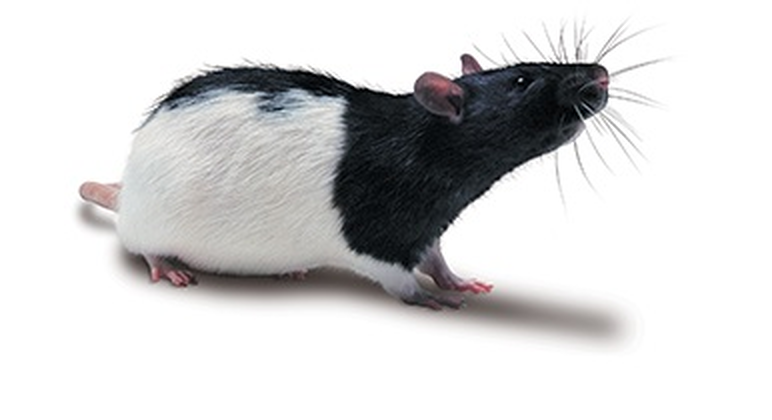
Figure 2. To track Long Evans rats you should select the option 'The animals are hooded rats'
When tracking hooded rats ANY-maze will primarily track the dark part of the animal (as this includes the head), although the tracking works differently to tracking an entirely dark animal (such as a black mouse), so it is important that you do choose the 'hooded rat' option.
When tracking hooded rats, especially if you are tracking the animal's head, the tracking sensitivity can be very helpful. For example, if the animals are in a relatively dark arena, or one in which the light is uneven and they animal tends to throw a shadow, then decreasing the sensitivity can help. On the other hand, if the background includes some darker areas then increasing the sensitivity can help
Quail
 | This is a beta feature; it may not function perfectly. |
This option is specifically designed to track the heads of quails, it may not work well with other birds. Also, it assumes the animals are on a background that is lighter than the animals.
Some other animal
If you are not tracking rats, mice or quail, then this is the option to select. Using it will track the animal's centre point correctly, but the head and tail tracking may not be accurate. As mentioned above, this is because the head tracking analyses the shape of the animal and unless the animal is a similar shape to a rat, mouse or quail, then it is unlikely to work.
Specifying the animal's colour
Normally, it is easy to specify whether the animals are lighter or darker than the background, but there are a number of situations which require special attention.
| • | There's very little difference between the animals and the background |
| • | The animals are white and the background is sawdust/wood-shavings |
| • | The animals are white and the background is pale grey |
| • | The animals are not a uniform colour (and are not hooded rats) |
| • | The background is not a uniform colour |
| • | Some animals are lighter and some are darker than the background |
| • | All of the animal is either lighter or darker than the background, but some parts contrast much more than others |
There's very little difference between the animals and the background
In this situation, if the animals are light but are very similar in colour to the background (for example, a white mouse walking on sawdust), then you should specify that the animals are lighter than the background. You may notice that there's a shadow around the animal, and so you could specify that they're darker than the background - however, tracking shadows is generally a bad idea and will give poor results.
If the animals are dark but are very similar to the colour of the background, then you may need to experiment to see which setting gives the best tracking. Start by specifying that they're darker, and if this doesn't work very well then try the selecting the option The background and/or the animals are not uniform.
The animals are white and the background is sawdust/wood-shavings
 | This is a beta feature; it may not function perfectly. |
 | This option only works with colour video files, such as mp4 or wmv videos |
Tracking white animals on sawdust or wood-shavings is usually quite challenging, because in a black and white image the animals are often a similar colour to the background and while ANY-maze will often track the animals' centre in these conditions, getting accurate head tracking is often impossible .
However, while in a black and white image the animal and background are similar shades of grey, in a colour image the animal and background are usually different, with the background being a shade of pale brown. In fact, some 'white' rats are also a yellowy brown and even in a colour image they're quite similar to sawdust - but in most cases there's a more distinct difference between the animal and the background when viewed in colour.
ANY-maze can take advantage of this difference by enhancing the animal-background contrast by using the colour information if it is available. At present this is only supported in colour videos, for example, mp4 or wmv videos, and it does not yet work with colour cameras.
If you select this option then ANY-maze will analyse the colour data if it is available and enhance the animal-background contrast, note that the resulting image will still be black and white. If colour information is not available, then this option is identical to selecting the Animals are lighter than the background.
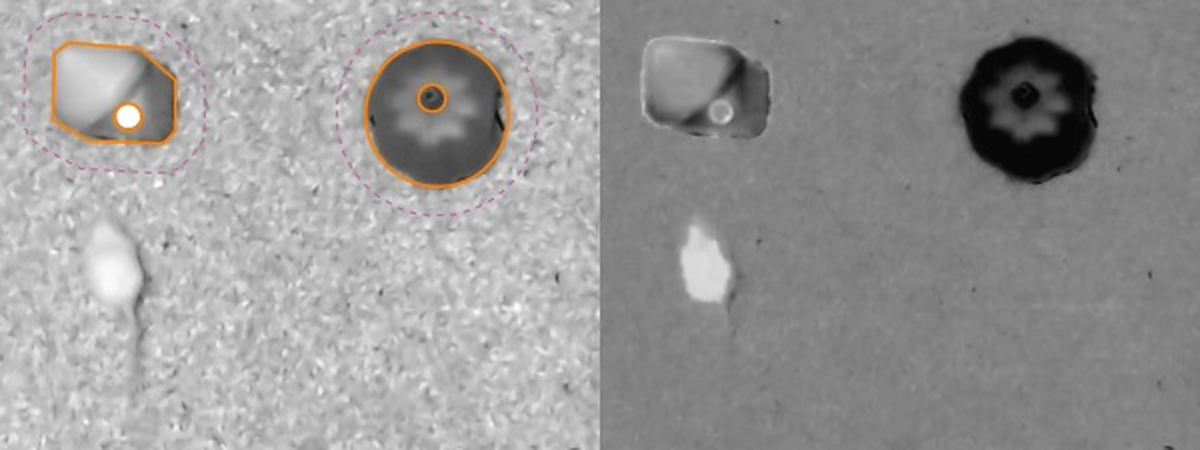
Figure 3. The image on the right comes from a colour video so ANY-maze has been able to use the colour information to enhance the contrast as shown in the image on the right. Note that the enhanced image is used internally, ANY-maze still displays the unenhanced image.
The animals are white and the background is pale grey
 | This is a beta feature; it may not function perfectly. |
 | This option only works with colour video files, such as mp4 or wmv videos |
Tracking white animals on a pale grey background is usually challenging, because in a black and white image the animals will appear to be pale grey and therefore present no contrast to the background.
However, while in a black and white image the animal and background are similar shades of grey, in a colour image the animal will usually appear a pale yellowy brown and ANY-maze can use this colour information to, at least, detect the centre of the animal.
Note that, at present, this is only supported in colour videos, for example, mp4 or wmv videos, and it does not yet work with colour cameras.
If you select this option then ANY-maze will analyse the colour data if it is available. If colour information is not available, then this option is identical to selecting the Animals are lighter than the background.
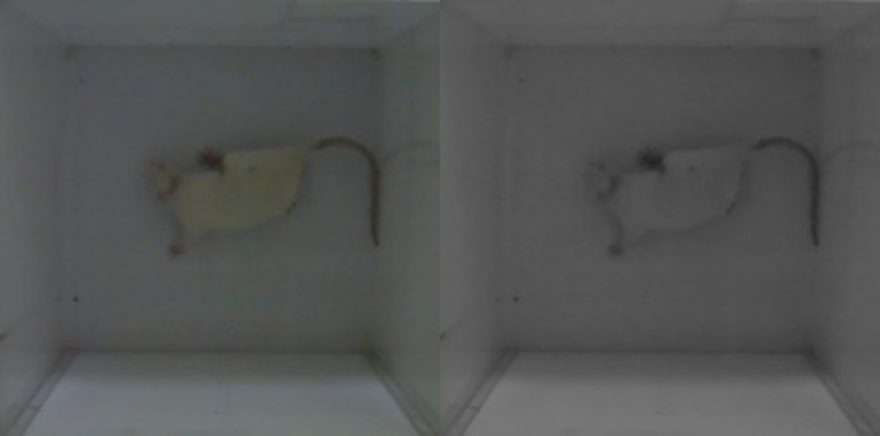
Figure 4. The image on the left comes from a colour video, but ANY-maze sees the image on the right, in black and white, where there is essentially no difference between the colour of the animal and the background. However, by analysing the colour data ANY-maze is able to track the animal's centre.
The animals are not a uniform colour (and are not hooded rats)
If you wish to track non-uniform animals (other than hooded rats - for these, see the previous section) then obviously they won't be either lighter or darker than the apparatus background. In this case, you can do one of three things:
| • | Select the Animals are lighter option. ANY-maze will then track just the light part of the animal. |
| • | Select the Animals are darker option. ANY-maze will then track just the dark part of the animal. |
| • | Select the Animals are not uniform option. ANY-maze will then attempt to track the entire animal. How well this will work will depend on how balanced the difference between the light and dark areas of the animal and the background are. For example, if the background is mid-grey and you're using a Lister hooded rat, then the intensity of the difference between the white part of the animal and the background will be similar to the intensity of the difference between the black part of the animal and the background - in this case ANY-maze should track the entire animal. On the other hand, if a black and white animal is on an light grey background, then the difference between the black part of the animal and the background will probably be much greater than the difference between the white part and the background - in this case the system will probably just track the dark part of the animal as it will present a much bigger 'signal' than the light part. In general, we recommend that you avoid using the Animals are not uniform option in this type of situation, but in some cases it will work well. |
The background is not a uniform colour
This situation is similar to the one described above (where the animals are not uniform), but in this case you can't use either of the Animals are lighter or the Animals are darker options because if you do, the system will only track the animal in some parts of the apparatus!
The only choice in this situation is to choose the option for The background and/or the animals are not uniform. See figure 5 for an example of when this option is required.
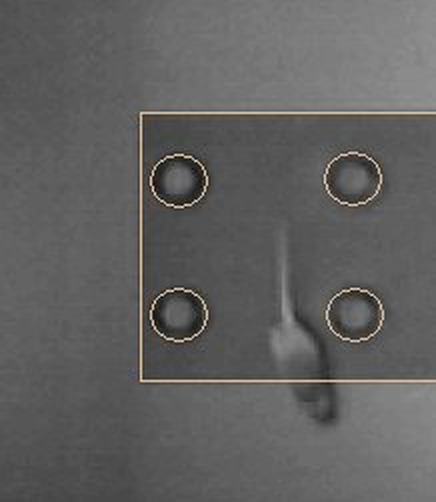
Figure 5. In this hole board apparatus, the animal is lighter than the background in the centre of the apparatus but is darker than the background around the edge. However, by using the option for a non-uniform background, ANY-maze tracks very well.
Note that tracking hooded rats on a non-uniform background can be problematic if the background included quite dark areas. In this case you will probably need to increase the tracking sensitivity.
Some animals are lighter and some are darker than the background
If you're working with different strains of animals, then some may be lighter and some darker than the background of the apparatus. In this case, you should specify the option Some are lighter and some are darker and then choose whether ANY-maze should automatically determine the animal's colour or whether you will enter it manually.
| • | If there is good contrast between the animal and the apparatus background, and provided there are no moving reflections, then ANY-maze can generally determine the colour of the target animal for itself. This is obviously desirable, as it saves you from having to specify the colour of each animal manually. |
| • | If there isn't very good contrast between the animals and the apparatus background, or if there are moving reflections in the apparatus (for example, reflections from the surface of the water in a water-maze), then ANY-maze will not be able to detect the animals' colour reliably. In this case, you should choose the option to Specify the animal colour manually. Doing this will cause ANY-maze to include a column in the Animals spreadsheet, where you will be able to specify the appropriate setting for each animal individually. |
| • | When using Forced swim test and Tail suspension test mode, there is no option for ANY-maze to automatically determine the animal's colour, you will have to enter it manually. |
Specifying the animal's length
In some circumstances, you will need to specify the animals' length:
| The protocol includes a hidden zone | When a protocol includes a hidden zone, the Animals protocol element will include fields for you to enter the approximate length of the animal. |
The reason ANY-maze needs to know the animal length is so that it can determine when the animal becomes visible if it is hidden at the very start of the test - otherwise, it would have no idea how large a target it should be looking for.
| ANY-maze is only detecting freezing | When a protocol is set up to only detect freezing, and not track the animal, then the Animal colour protocol element will change its name to Animal size, and will include fields for you to enter the approximate length of the animal. |
In either of the above circumstances you will be asked whether all the animals are approximately the same length or whether they have different lengths. If all the animals are broadly the same size (which often means the same age) then you should say they are approximately the same length, as the small variations in size between individuals won't matter. However, if your experiment will include animals of different species, strains or ages that are of significantly different sizes, then you should say they are not the same length; in this case you will be able to enter the length of each animal individually on the animal's spreadsheet.
If you specify that the animals are approximately the same length, then you will need to enter that length including units of m (metres), cm (centimetres) or mm (millimetres). The length you enter can be quite approximate, but should exclude the animal's tail. For mice, a value of around 6cm is usually about right, and for rats around 18cm - although this will depend on the age and strain of the animals.
Note that when the protocol includes a hidden zone, the length you enter is used when a test is being run, therefore changing it after a test has been performed will not alter how ANY-maze scores the zone exits. However, in the case where the length was required because the protocol is only detecting freezing, then, in common with almost everything else in the protocol, changes made after a test has been performed will cause the tests' results to be updated.
Adjusting the contrast sensitivity
 | The contrast sensitivity settings are irrelevant, and therefore not included, when using Forced swim test and Tail suspension test mode. |
Imagine you have a 'white' rat on a brilliant white background - in this case, the animal will almost certainly be darker than the background and selecting the option The animal is darker than the apparatus background will work correctly. However, imagine that the animal now has a black skull cap fitted - this will offer very high contrast to the background, whereas the animal's body only offers low contrast. In this case, ANY-maze will tend to consider the high-contrast skull cap as the target to track and will ignore the low-contrast body of the animal - clearly, this is not what you want.
To overcome this, you can increase the Contrast sensitivity so that ANY-maze considers a wider range of contrasts as being part of the animal.
 | Note that increasing the sensitivity unnecessarily will usually make the tracking worse. |

© Copyright 2003-2026 Stoelting Co. All rights reserved
ANY-maze help topic T0312