ANY-maze Help > The ANY-maze reference > The Support page > Checking for ANY-maze updates
Checking for ANY-maze updates

 | Only Windows administrators can install ANY-maze updates, unless your administrator has specified in the Administrative options that all users, not just administrators, can perform updates. |
Introduction
We're continuously working on ANY-maze to improve existing features and add new ones, and you'll probably want to update your system as new versions become available.
To make this process as simple as possible, ANY-maze includes the ability to check our web-site for updates and download and install any it finds.
| • | What software updates am I entitled to? |
| • | Checking for an update |
| • | What happens when an update is found |
| • | Updating ANY-maze manually |
What software updates am I entitled to?
All ANY-maze users are automatically entitled to all software updates, forever, for free.
The entitlement rules were changed with the release of ANY-maze version 6.18, in late 2019 (before this, updates were only free for one year following purchase). The new rule is retrospective, so it doesn't matter when you purchased ANY-maze, you can now always stay up-to-date with the latest release of ANY-maze.
Checking for an update
Checking whether there's an update available for ANY-maze is very easy and typically takes only a few seconds. Firstly, select the Support page and then select the  Check for updates option - this will take you to the ANY-maze update manager. You can
  click this link to go there now.
The update manager itself includes detailed instructions, but essentially all you have to do is click the Start button. ANY-maze will connect to our web-site and will check whether you are using the most up-to-date version or not.
By the way, ANY-maze can also automatically check for updates on a regular basis, saving you the bother of having to remember to do this yourself.
What happens when an update is found
If ANY-maze finds an update, then it will display details of what's included in the new version and you'll be able to decide what action you'd like to take - see figure 1.
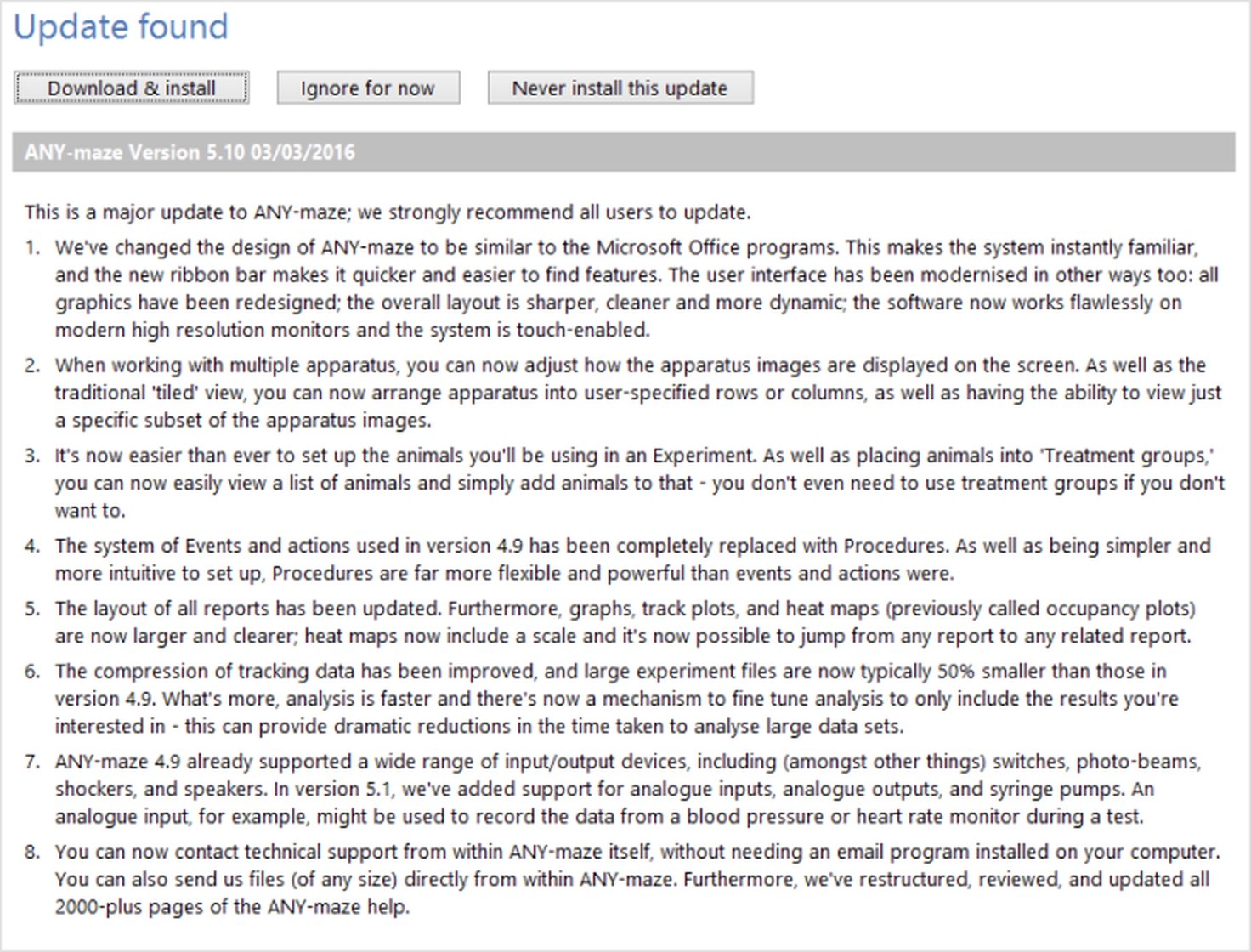
Figure 1. When an update is found, ANY-maze displays details of what it includes and asks you what action you would like to take.
You have three options:
| Download & install | If, after reading the details about the update, you decide you want to install it then you simply need to click this button. ANY-maze will download the update to your computer and install it. You don't need to do anything - the entire process is automated and takes just a few minutes. |
| Ignore for now | If you're interested in the update but you don't want to perform the download and installation right away, perhaps because you don't have time, then you can choose this option. ANY-maze won't do anything more for now, but the next time you check for updates it will tell you about this one again. |
| Never install this update | You may decide, after reading details of the update, that you don't want to install it. If this is the case then you can use this option to tell ANY-maze that it should ignore this update and only inform you when a newer update becomes available. |
 | The update program can only be run by a Windows administrator. Depending on the security settings of your Windows system, you may need to provide Windows administrator logon details in order to run the ANY-maze update. |
Updating ANY-maze manually
If your ANY-maze computer isn't connected to the internet, then obviously you won't be able to use the update manager to check for and install updates - instead you'll need to install updates manually.
Whenever we release an update to ANY-maze, we'll automatically send you an e-mail informing you of this (unless you've specifically asked to be removed from our mailing list). When you receive the e-mail, you can go to our web site and download the update file onto any computer. You then simply need to copy this file to your ANY-maze computer (either using a network or a USB pen drive) and run it - this will install the update.

© Copyright 2003-2026 Stoelting Co. All rights reserved
ANY-maze help topic T0973