ANY-maze Help > Using ANY-maze > Setting up an experiment > Entering animals and treatment groups
Entering animals and treatment groups

In most experiments, you will probably divide your animals into different groups, most often based on the treatments the animals will receive. Because this is such a common structure, ANY-maze uses it as its default, but if you prefer you can simply enter animals without grouping them at all.
To set up treatment groups, you simply need to enter the group names and the number of animals they will include in the table on the right-hand side of the Experiment page - see figure 1.
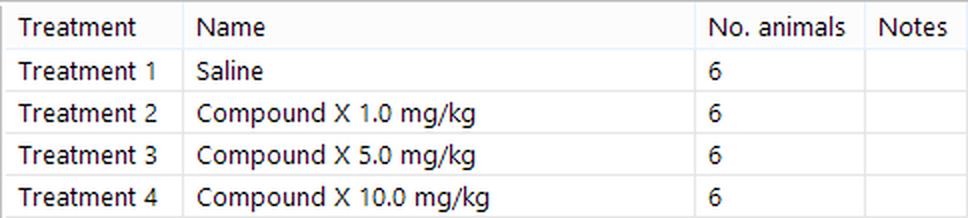
Figure 1. An experiment which consists of four treatment groups of 6 animals each.
You can come back at any time - before, during or after you perform the experiment - and alter the groups you've defined; for example, you could add more animals or create some entirely new groups.
If you'd prefer to enter the animals without placing them in treatment groups, then you should first select the  View animals button, which will change the table on the right-hand side of the Experiment page to show a list of animals rather than a list of treatments, and then select the
  Add animals button. A window will open where you can enter the number of animals you wish to add - see figure 2.
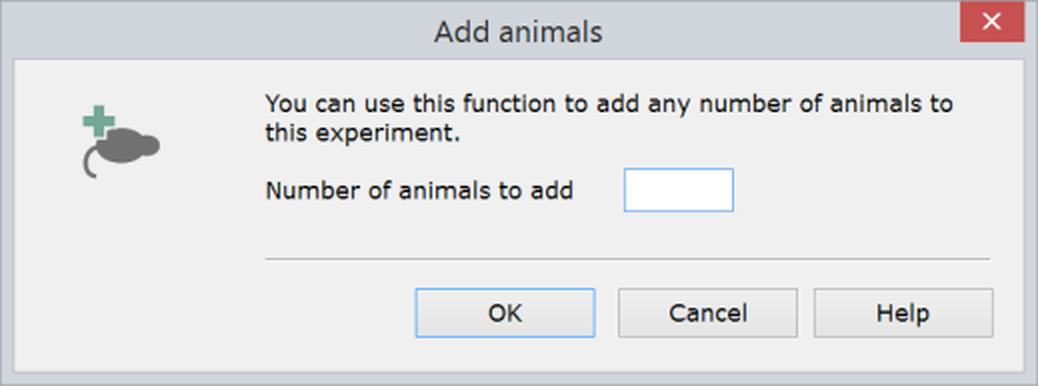
Figure 2. You can use the Add animals window to enter animals without placing them in treatment groups.
If you know that you'll never use treatment groups with a particular protocol, then you can actually specify this in the protocol, in which case ANY-maze will always show the table of animals on the right-hand side of the Experiment page and remove the treatments table altogether.
It's worth pointing out that you can group animals in other ways than by treatment simply by including an appropriate field in the protocol. For example, you could include a field for Sex and another for Species and ANY-maze will then include columns in the animal table (shown when you select the  View animals button) for you to enter the Sex and Species of each animal you include. This ability to enter additional groups can be used in conjunction with, or instead of, treatment groups.
See also:
| • | Setting up treatment groups and animals |
| • | Editing and deleting treatment groups and animals |

© Copyright 2003-2026 Stoelting Co. All rights reserved
ANY-maze help topic T0038