ANY-maze Help > The ANY-maze reference > The Options page > Managing users in ANY-maze > Managing ANY-maze user accounts
Managing ANY-maze user accounts

 | The User management settings are only included on the Options page if you're an administrator. The page described here is the page displayed when using ANY-maze to manage users. To view details of the page displayed when using Windows to manage users, see Switching from Windows to ANY-maze user management. |
Overview
The principal role of an ANY-maze administrator is to manage ANY-maze user accounts. This involves creating new accounts, deleting old ones and setting the overall ANY-maze user policies.
For information on how to use this page to manage users, please see:
| • | Accessing the user management settings |
| • | Adding, editing and deleting users |
| • | Setting user policies |
| • | Changing to operating system user management |
Accessing the user management settings
To access the user management settings, select the Options page and then click the  User management option in the left-hand side bar. If this option doesn't appear on the Options page, it's because you're not an ANY-maze administrator.
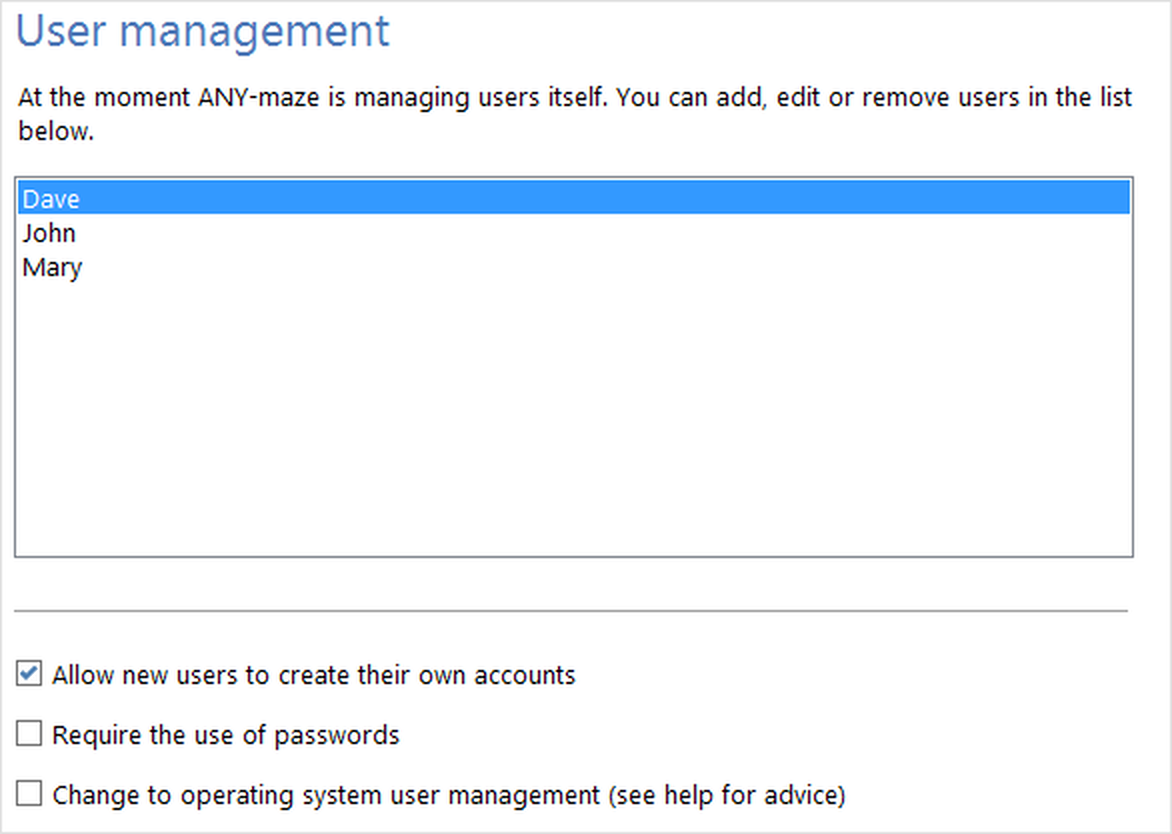
Figure 1. The User management settings on the ANY-maze Options page, when ANY-maze is being used to manage its own users.
Adding, editing and deleting users
| Adding a user | To add a new user, simply click the  Add user button in the ribbon bar. This will open the User settings window where you can enter the user's name and password. Add user button in the ribbon bar. This will open the User settings window where you can enter the user's name and password. |
| Editing a user's details | To edit a user, first select the user in the list and then click the  Edit user button in the ribbon bar. The User settings window will open where you can edit any of the user's details. Edit user button in the ribbon bar. The User settings window will open where you can edit any of the user's details. |
| Deleting a user | To delete a user, first select the user in the list and then click the  Delete user button. ANY-maze will ask you to confirm your decision before deleting the user. Note that deleting a user removes them from the user list and deletes all their settings; however it doesn't delete their personal ANY-maze folder or any experiment files it might contain. Delete user button. ANY-maze will ask you to confirm your decision before deleting the user. Note that deleting a user removes them from the user list and deletes all their settings; however it doesn't delete their personal ANY-maze folder or any experiment files it might contain. |
Setting user policies
| Allow new users to create accounts | If you select this option, then ANY-maze will include a button labelled I'm a new user on the log-on window - see figure 2. If a user clicks this button then they will be asked to provide a user name and password, and ANY-maze will then create a new user account for them. |
Whether you will want to use this facility will largely depend on who you expect to use ANY-maze. For example, in a commercial lab there will probably be a small, clearly defined group of ANY-maze users and allowing other individuals to create their own ANY-maze user accounts would probably be inappropriate. On the other hand, in an academic setting many individuals may wish to use ANY-maze, and by allowing them to create their own accounts the system is likely to remain better organised, as without this facility, lots of people would probably end up sharing accounts or trying to guess other users' passwords so as to gain access to the system.
| Require the use of passwords | Bearing in mind that the primary intention of ANY-maze user accounts is to provide per-user options rather than to secure the system, you may wish to relax the requirement for users to enter a password in order to use the system. Note that this doesn't prevent users from providing a password for their account if they wish to, it just doesn't make it obligatory. |
Again, whether you wish to use this option or not will largely depend on the circumstances of your lab, although it's generally popular with users to avoid having 'yet another password'!
Note: If you change the policies from NOT requiring passwords to requiring them, then any users who don't have passwords will be asked to provide one the next time they log-on.
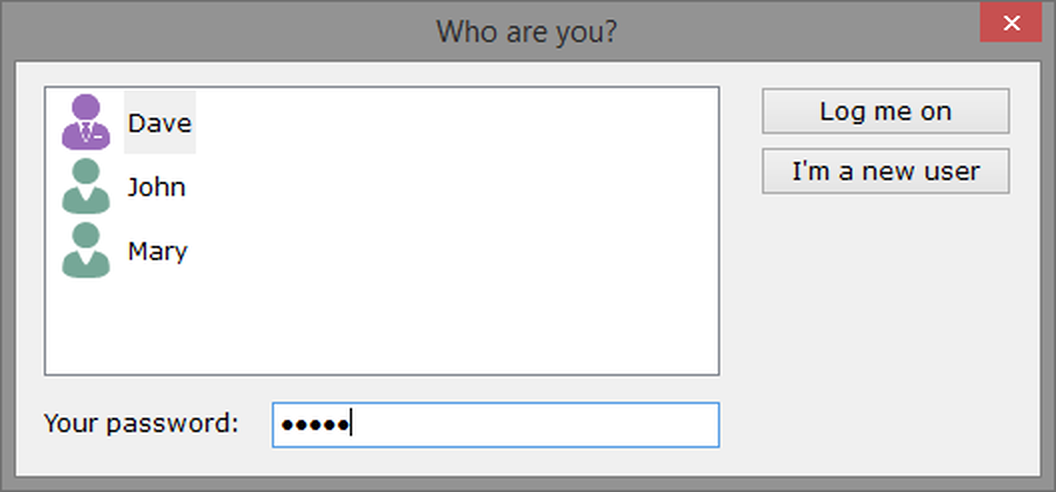
Figure 2. The ANY-maze log-on window, including the I'm a new user button. By clicking it, new users can set up their own ANY-maze user accounts.
Changing to operating system user management
Although ANY-maze can manage its own users, you may wish to use Windows user accounts instead. This is generally only a good idea if users already have individual Windows user accounts on the machine. There's a full discussion about the pros and cons of using ANY-maze or Windows user accounts in the help topic An introduction to managing users.

© Copyright 2003-2026 Stoelting Co. All rights reserved
ANY-maze help topic T0950