ANY-maze Help > The ANY-maze reference > The Protocol page > The elements of a protocol > Testing > Procedures > Elements of a procedure > Variables available to procedures > User-defined variables > Creating and using result variables
Creating and using result variables

Introduction
Variables are useful within a procedure to maintain internal state and help in the running of the procedure, but what if you're using a variable to calculate some value that you'd like to use in your analysis?
In this case, you would set up the variable to be used as a 'result variable'. This would cause the value of the variable to be treated as a test result, meaning it would appear in all the places that results are normally available – for example, on the Results page and Data page.
Example
To make this clearer, here's an example. Imagine you want to know the duration of the animal's second visit to a specific zone (let's not worry for the moment about why you might want to know this!). There's no standard result in ANY-maze that could tell you this, but you could easily calculate it in a procedure. You'd wait until the animal enters the zone for the second time, note the time this occurs in a variable (call it Time1), then wait until the animal leaves the zone and calculate the difference between the time now and Time1, which would give you the 'Second visit duration'. You could store this value in a variable of that name.
Here's what the procedure could look like:

Figure 1. The procedure to measure the time the animal spends in a zone on its second visit. This value is saved in the 'Second visit duration' variable.
But, if that's all you did then the procedure system would know the 'Second visit duration', but the rest of ANY-maze wouldn't. However, if you set the 'Second visit duration' to be a result variable, then it would appear in the result measure lists throughout the system – see figure 1. In this way, the value could be analysed, reported, exported, etc. - just like any other result.
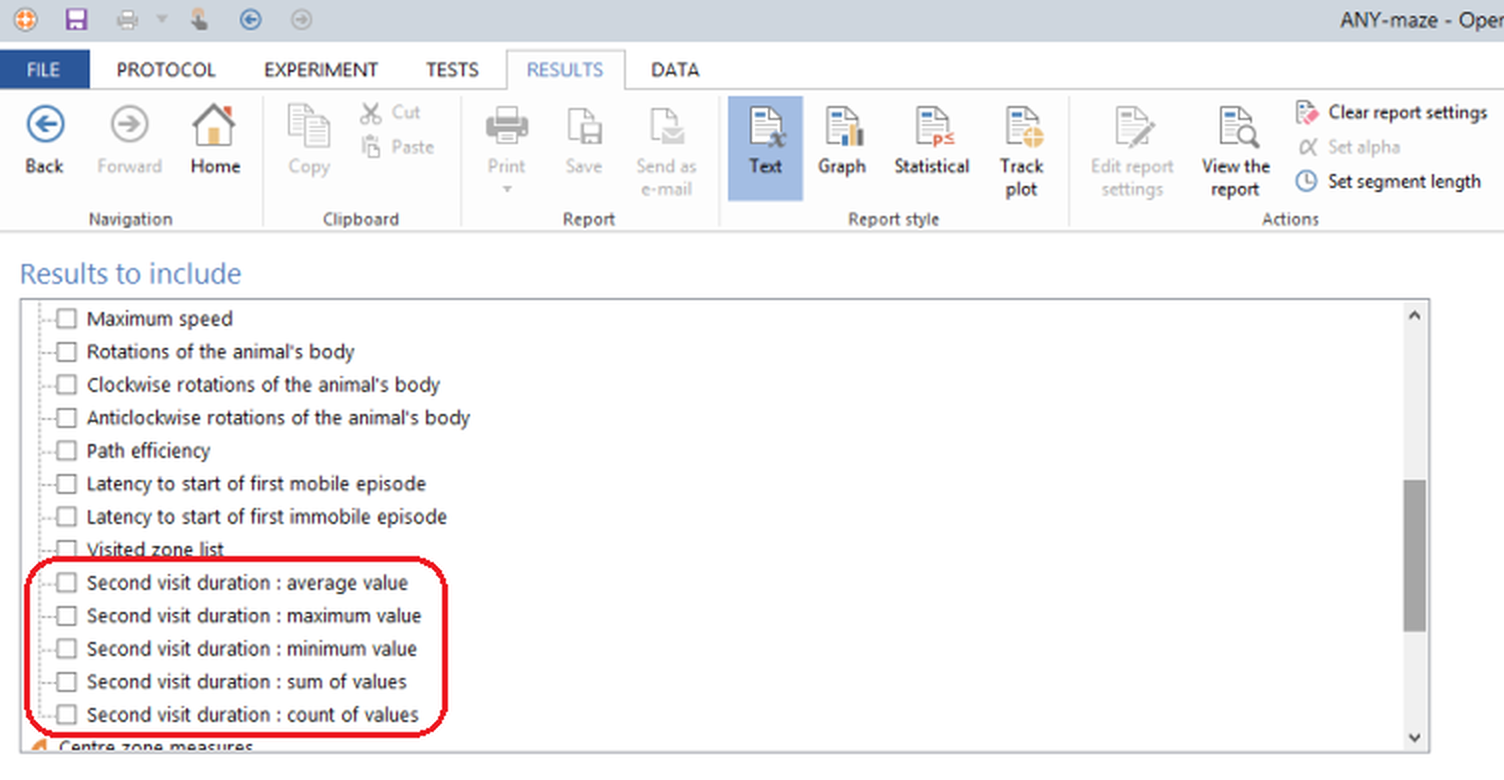
Figure 2. The 'Second visit duration' variable described above, visible in the list of measures on ANY-maze's Results page.
Setting up a variable as a result variable
To set up a variable as a result variable, you need to edit the variable's settings (using the  button on the variable in the procedure editor) to open the Variable settings window.
Select This variable will be used as a result value for this test, and then choose when you want the value of the variable to be recorded. You have three options here:
| • | Every time it is set by the procedure |
Every time the variable is changed by the procedure, using the Set value statement, the value will be noted.
| • | Only once, at the end of the test |
Whatever value the variable has when the test ends, will be used as a test result.
| • | Only when explicitly set using the 'Set variable as a test result' action |
In order to note the value of the variable, you will need to explicitly use the Set variable as a test result action
The second of these options ('only once...') will simply make a note of the value of the variable once, when the test ends. Since there's only one value, then the only measure available for analysis will be 'value'.
The first and last of these options will potentially result in the variable's value being noted several times during a test. This will make more measures available - maximum, minimum, average, etc.
For more details of the results available, see Procedure measures.
More information
The current value of a result variable can be set as a column in the Test data report. This is done using the Test data report option under the Results, reports and data section of the protocol list.
Limitations
A variable can only be used as a test result if it has a numeric value. Variables that have been set to True/False, or that contain text, cannot be used as test results.
See also:
| • | The variable settings window |
| • | Procedure measures |
| • | User-defined variables |

© Copyright 2003-2026 Stoelting Co. All rights reserved
ANY-maze help topic T0493