ANY-maze Help > The ANY-maze reference > The Results page > Viewing results as heat maps
Viewing results as heat maps

 | For general information about the Results page, refer to the Results page topic. |
Introduction
Heat map reports show either grouped or averages heat maps of the animal's tests, this can help to highlight differences between the groups - see figures 1.
 | You'll find a general introduction to heat maps here. |
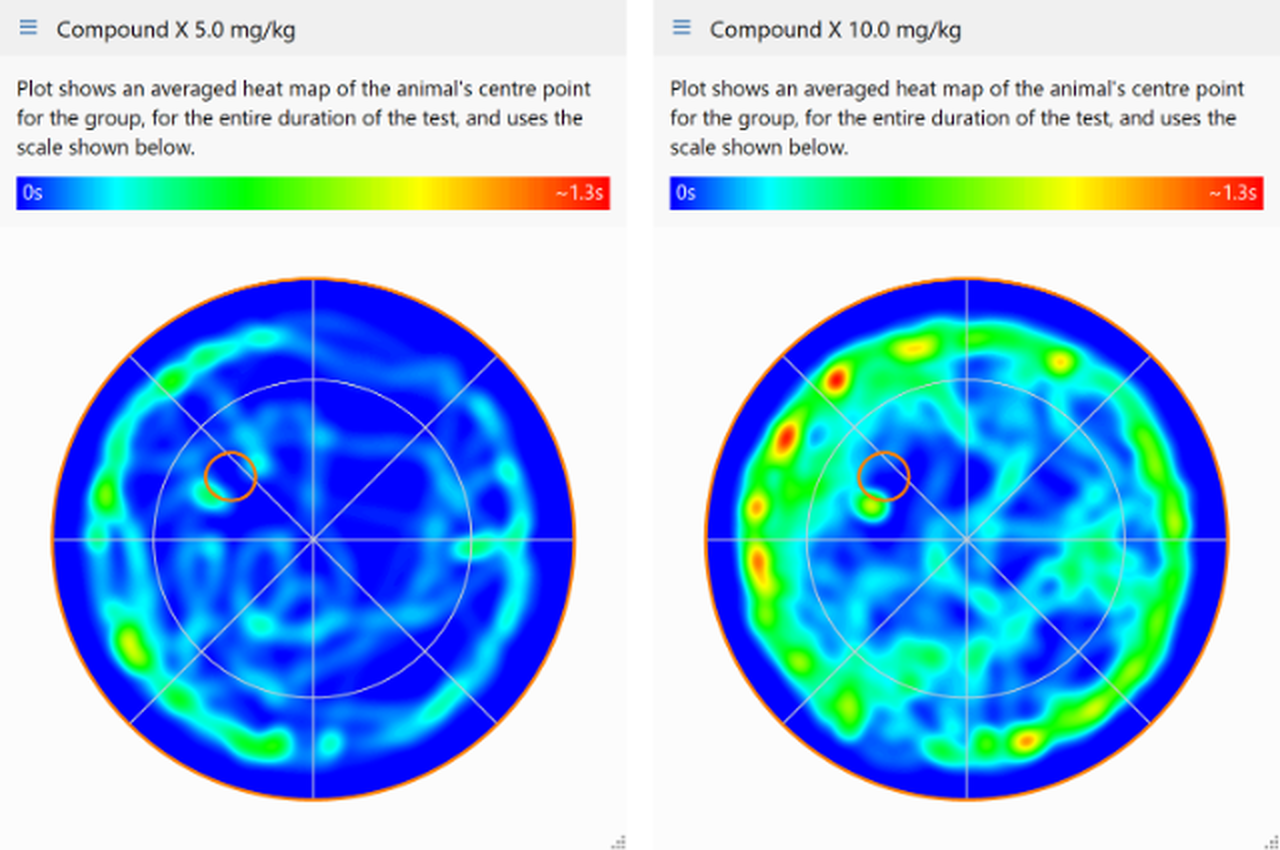
Figure 1. An example of an averaged heat map report, which clearly show the differences between the two groups.
To create a heat map report you should:
| 1. | Switch to the Results page. |
| 2. | Select the  Heat map button in the Report style section of the ribbon bar. Heat map button in the Report style section of the ribbon bar. |
| 3. | If the report settings are not already displayed, click the  Edit report settings button in the Actions section of the ribbon bar. Edit report settings button in the Actions section of the ribbon bar. |
| 4. | On the Heat map report settings page you can: |
| • | Select the specific heat map to show in the report |
| • | Choose whether to show group average heat maps |
| • | Specify how you want the heat maps to be grouped |
| • | Limit the tests included in the report |
| 5. | Once you've specified the settings you want to use, you should click the  View the report button in the Actions section of the ribbon bar. View the report button in the Actions section of the ribbon bar. |

© Copyright 2003-2026 Stoelting Co. All rights reserved
ANY-maze help topic T0860