ANY-maze Help > The ANY-maze reference > The Protocol page > The elements of a protocol > Reports > Heat maps > An introduction to heat maps
An introduction to heat maps

Introduction
Heat maps show a graphical representation of how long the animal spent in different parts of the apparatus. A classic use of a heat map is to display data for the animal's centre point - see figure 1; but ANY-maze can plot heat maps for lots of different things, for example where the animal reared, or where it was immobile, as in figure 2.
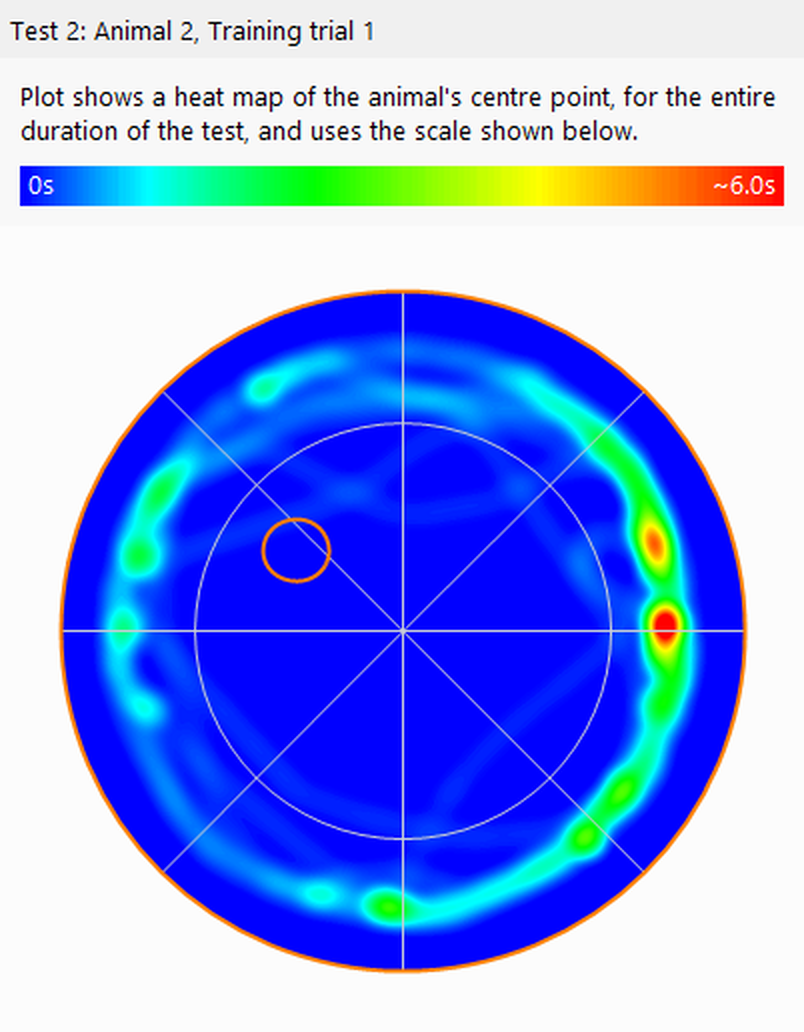
Figure 1. This heat map of the animal's position makes it clear that the animal spent most of the test in close proximity to the walls of the water-maze.
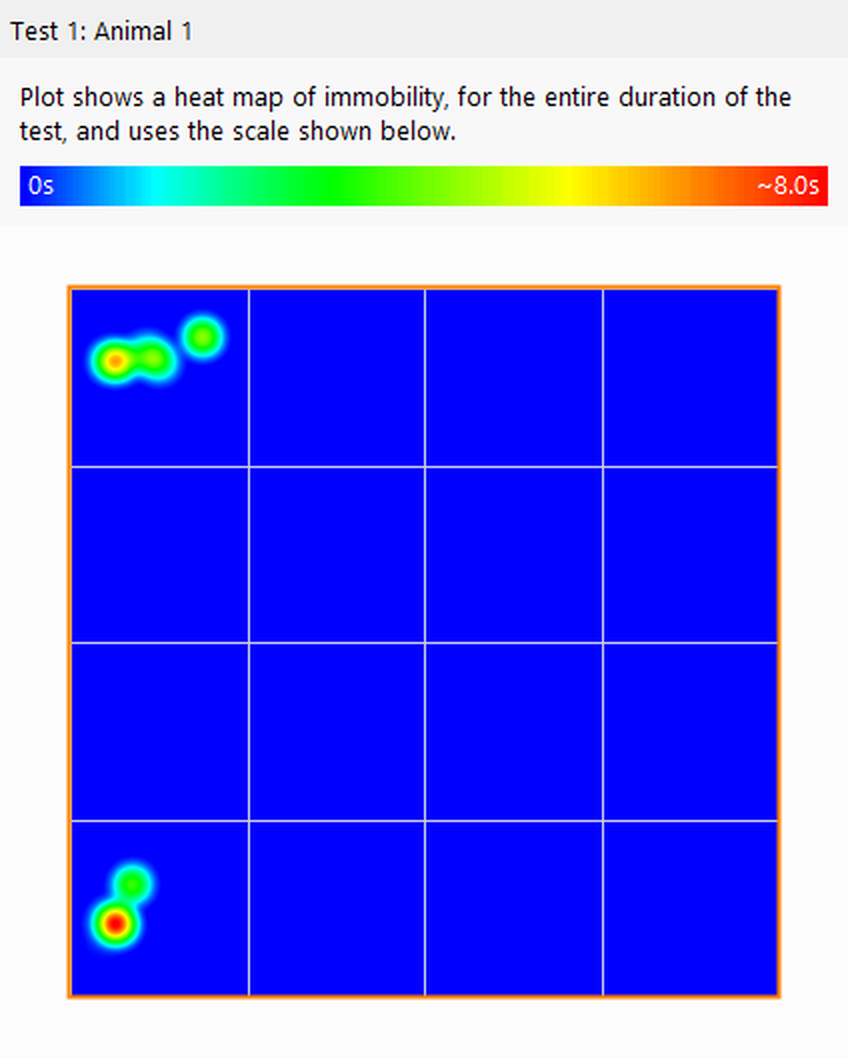
Figure 2. This heat map shows where the animal was immobile, which was exclusively in the corners of this open field.
The differences between Heat maps and Track plots
At first glance, it might seem that there's little real difference between what a heat map shows and what a track plot shows, but consider the following example: You have two tests; in the first test the animal moved slowly from the left side of the apparatus to the right; while in the second test the animal sat on the left side for 90% of the test and then ran quickly to the right. The track plot of these two tests would be identical - a track from the left to the right of the apparatus - but the heat maps would be very different. The first one would show a 'track' of more or less the same colour (probably green) across the apparatus, while the second test would show a red area on the left (where the animal sat for a long time) and then a pale blue track across the apparatus.
Another situation in which heat maps are very useful is in long-term tests, or tests where the animal moves around the apparatus a lot. In these cases, the track plot will typically become 'saturated' - like the left-hand image in figure 3. The heat map, however, never saturates and allows you to see where the animal spent most of the time in the test - as in the right-hand image in figure 3.
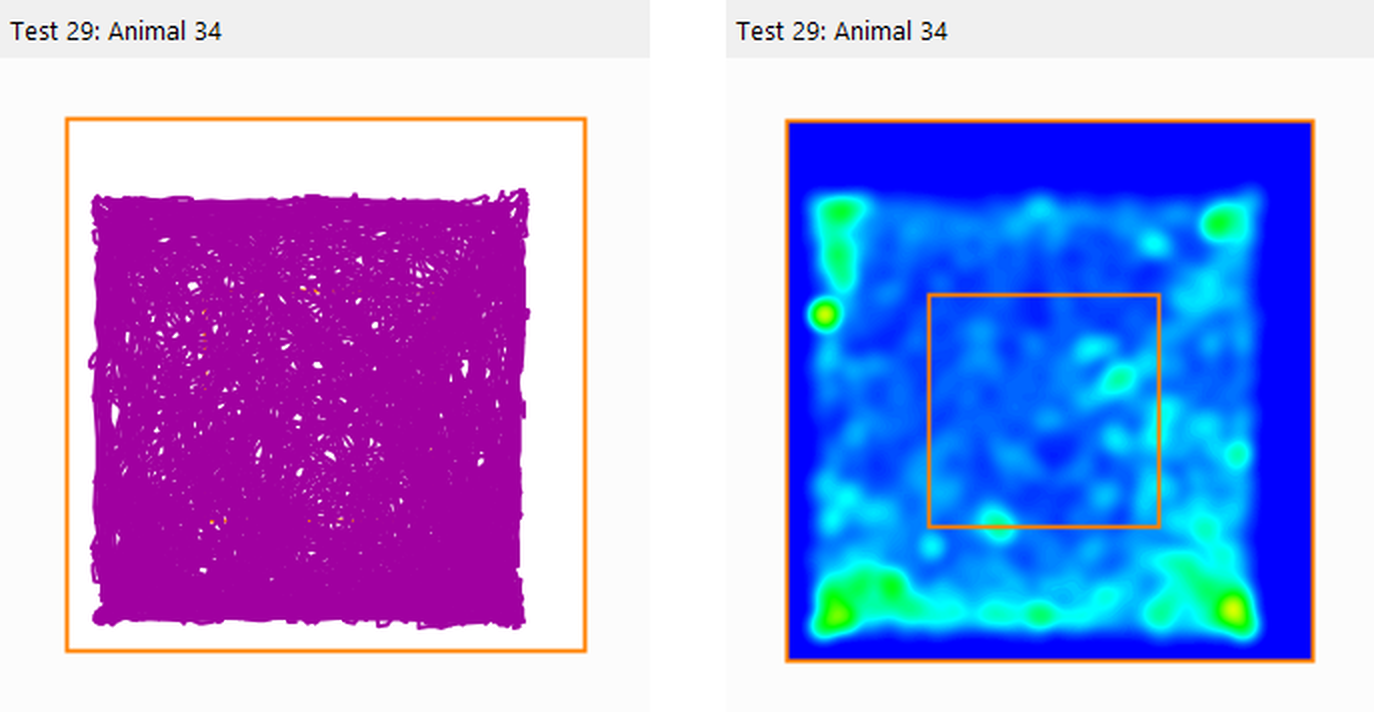
Figure 3. A track plot and heat map of the same test. In long tests track plots can become 'saturated', as occurred here, but a heat map never saturates, making it easy to see where the animal spent time during the test.
Configuring heat maps
Heat maps can be configured in various ways:
| • | The time that the hottest colour represents can be entered manually or it can be set automatically by ANY-maze to the longest time found in any of the heat maps for all the tests in the experiment. This is useful as it means all the heat maps show comparable data. There's more about the heat map scale below. |
| • | The colours used by a heat map can be altered, so as well as the classic, blue for cold (shortest time) through to red for hot (longest time) you can create your own colour schemes: for example, white for cold through to purple for hot, which would effectively make the heat map use increasingly dark shades of purple to indicate longer periods of time, as in figure 4. |
| • | You can choose whether or not to have the apparatus map drawn over the heat map. |
| • | You can have markers drawn on the heat map to show where specific things occurred, for example, where a behaviour being scored with a key occurred; the markers don't have to be related to the thing the heat map itself is showing. |
| • | You can limit a heat map to show just a certain part of tests, for example, just the last 3 minutes of the test. |
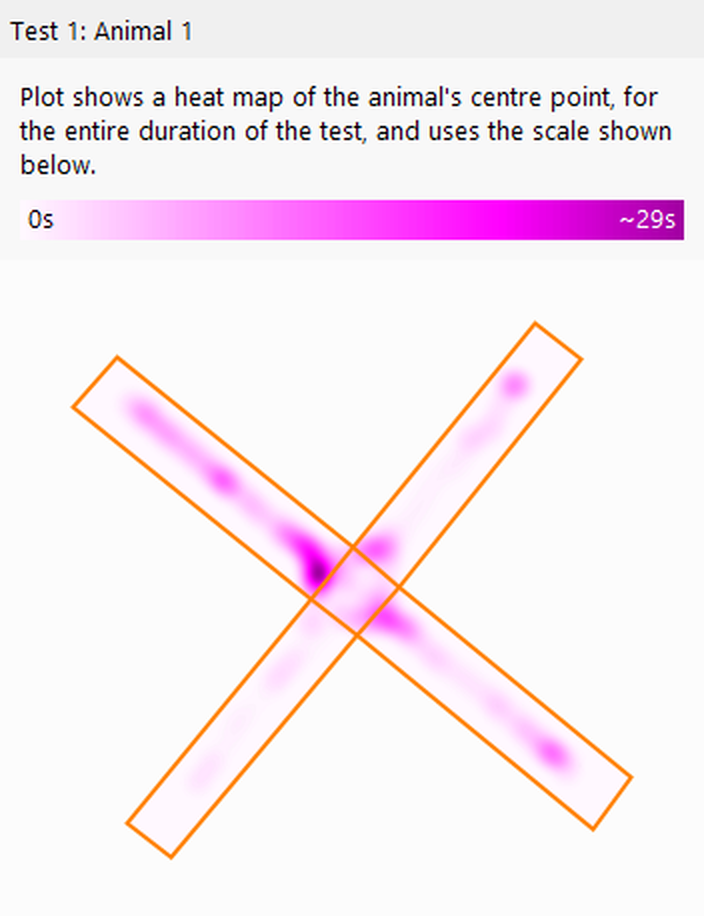
Figure 4. A heat map plotted using just shades of purple to indicate how long the animal spent in different parts of the apparatus.
The heat map scale
The Heat map legend includes a scale, which shows the amount of time represented by the red area in the map. The scale is linear, so you can get an idea about the time represented by any colour simply by seeing how far along the scale it comes, for example yellow is about three quarters of the way along the scale bar, so if red represents 8 minutes, yellow would represent around 6 minutes.
The value shown in the scale for the red colour is approximate (this is why it has a ~ character before it). The reason ANY-maze can't give an exact value relates to the way that heat maps are generated, but the approximation is quite accurate and certainly serves to give an indication of how long the animal spent in different parts of the apparatus.
Comparing heat maps
It might seem logical to assume that a heat map will show the point at which the animal spent the longest time in a test in red and the areas in which it spent no time in blue, but this has the disadvantage that plots of two tests can't be compared.
Consider the following situation: You perform two 5 minute tests; In the first test the animal spent 30 seconds in the corner of the apparatus and wandered around throughout the apparatus for the rest of the test. In the second test the animal spent 4 minutes in the corner of the apparatus and then walked across the apparatus and spent the last 30 seconds in the opposite corner.
If the plots were generated such that the point at which the animal spent the longest time in each test (the so called 'local maximum') was set as the 'red' point, then in the first test, this would be the place where the animal spent 30 seconds, while in the second test it would be the place where the animal spent 4 minutes. Comparing these plots would then give the erroneous impression that the animals spent the same amount of time in this position in the two tests, as they'd both be shown in red.
To address this, ANY-maze calculates the maximum across all tests in the experiment (both for the position of the head and the centre) and uses this maximum as the 'red' value in all heat maps (the so called 'global maximum'). Thus, in the example, the global maximum would be the point at which the animal spent 4 minutes (in the second test). This would mean that the points at which the animals spent 30 seconds in the two tests (i.e. where the animal was at the start of the first test and where it was at the end of the second one) would both be plotted in the same colour, making comparisons valid.
One repercussion of this is that the global maximum may change as you perform more tests, and this can cause the heat map of an already-performed test to change as well. Of course the plot itself doesn't change, but the colours used to represent the times do. For this reason it's best to only compare heat maps when you've completed all the tests in an experiment.
Group average heat maps
Usually a heat map shows the data for a single test. However, they can also show averaged data for a group of tests, for example, all the tests for each treatment group, as in figure 5 below.
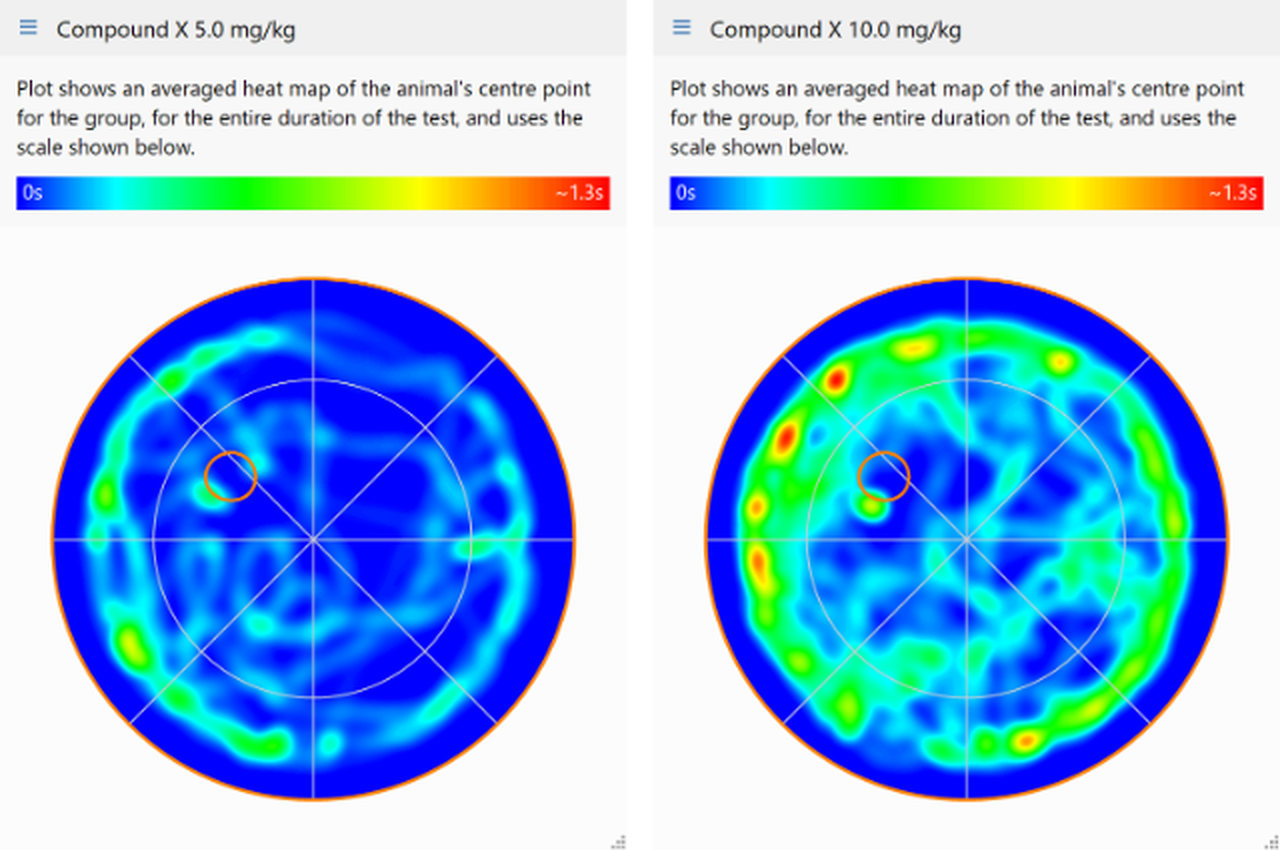
Figure 5. Two averaged heat maps for different treatment groups.
Transforming heat maps so they align
Clearly for averaged heat maps to be useful, all the tests need to be performed in comparable apparatus. For example, it would be no good trying to average the heat map data for tests that had been performed in two different Place Preference boxes if in one box the left side had been paired with a drug, while in the other the right side had been drug-paired.
To address this sort of issue ANY-maze can transform heat maps to make them comparable - in the example, this would mean applying a horizontal flip to the heat maps for one of the Place Preference boxes.
Transforms can also be used to align heat maps where the tests were performed in the same apparatus, but a specific zone, such as the platform in a water-maze, adopts different locations in different tests.

© Copyright 2003-2026 Stoelting Co. All rights reserved
ANY-maze help topic T0689