ANY-maze Help > The ANY-maze reference > The Support page > Contacting ANY-maze Support
Contacting ANY-maze Support

 | The ability to send an e-mail to our support team will only be available if your computer is connected to the internet. You can, of course, still contact us by sending a normal e-mail to support@anymaze.com, or using the support page on our web-site: https://www.any-maze.com/support/support-enquiries/ |
Introduction
A great feature of the ANY-maze's Support page is the ability to send an e-mail direct to our support staff. To do this, just select the Support page and then click the  Contact ANY-maze Support option in the left-hand side bar - see figure 1.
  Click this link to go there now.
You'll need to fill in your name and e-mail address, select the information you want to include with the message, and type in your message to our support engineers (see below).
| • | Types of support |
| • | How to report a bug |
| • | Attaching experiment files and log files |
| • | Technical information sent with your message |
| • | Sending the message |
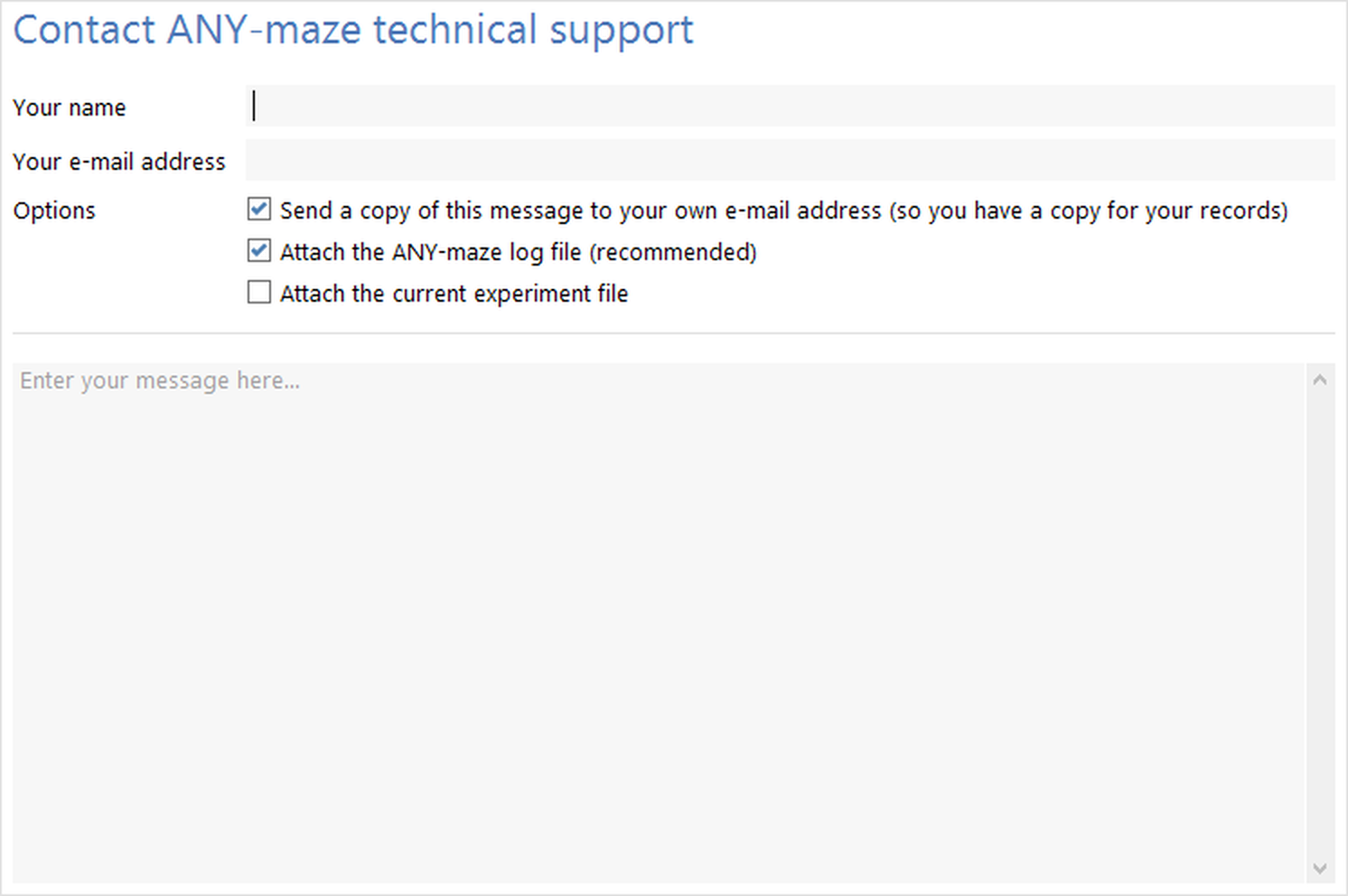
Figure 1. The Contact ANY-maze Support option on the Support page.
Types of support
Please feel free to ask us for any type of help - we're happy to answer all enquires, from simple 'how to' questions to requests for advice on designing protocols. Note that you receive full support even if you're only evaluating the software, so please don't hesitate to get in touch if you need to!
If you need help with a 'bug' (where the software is not doing what you would expect) then please report the bug to ANY-maze Support and we'll do our best to fix it as soon as we can. Please see details below for how to report a bug.
How to report a bug
If you find a bug in the software, please report it to us as soon as possible after it happens (so it's fresh in your memory) and try to give us as much information as possible.
Ideally, we'd like to know:
| • | Exactly what you were trying to do when the problem happened. |
If the problem is reproducible (i.e. it happens again when you repeat the same sequence of actions), then it would be really helpful if you could send us the experiment file you're working on, and the exact sequence of steps that cause the problem to happen.
| • | If the software displayed an error message, the exact wording of the error message. |
Screen shots are often useful; most modern keyboards have a 'Prt Scrn' key, which will copy the current desktop to the clipboard so you can paste it into an e-mail message.
| • | Make sure the Attach the ANY-maze log file option is checked, so we receive the log file with additional information in it. |
| • | If you use this page to send us a bug report, then we'll automatically receive information about your computer as well, which might help us determine the cause of the problem. See below for the information that's included in the message. |
We may need to contact you to ask you further questions about the problem.
Attaching experiment files and log files
When giving advice on protocol design and when resolving problems, it is often very helpful if we have a copy your experiment file. If relevant, you can check the Attach the current experiment file box to attach the current experiment to your message. If you're reporting a bug, then we'll probably need your ANY-maze log file as well - this might contain useful information about what ANY-maze was trying to do when the problem happened. The Attach the ANY-maze log file... option is checked by default.
 | The Attach the current experiment file box will only be enabled if an experiment file is currently loaded. |
If you want to send files other than just the experiment file and log file, or you need to send us an experiment file that isn't currently loaded into the ANY-maze software, this can be done using the Send us files option on the Support page.
Technical information sent with your message
When trying to resolve support questions, it can be extremely helpful if we know certain technical information about your computer. For example, if the tracking seems rather poor, the problem may simply be that your computer isn't powerful enough. Because this information is so useful, the system will automatically include it in any e-mail you send using this support page.
Specifically, the information included is:
| • | The version of Windows installed on your computer. |
| • | The quantity, type, speed and capabilities of the processors in your computer. |
| • | The amount of memory (RAM) in your computer. |
| • | Details of the type and capacity of the drives in your computer. |
| • | Details of the display attached to your computer. |
| • | Information about the type of internet connection available on your computer, whether the computer is attached to a network and whether it has a sound card and/or mouse installed. |
| • | Details of any video interfaces (capture cards, cameras etc.) that ANY-maze can use to capture video images for tracking. |
| • | The serial and licence numbers of your copy of ANY-maze, and the licence expiry date. |
ONLY this technical information is sent in this process - ANY-maze won't transmit anything about you, or the contents of your files.
Sending the message
Once you've selected the options and entered your message, just click the  Send button in the ribbon bar to send the message together with any associated files. Note that you can check the Send a copy of this message to your own e-mail address... box to send yourself an e-mail, so you can keep a copy for your own records - or to see exactly what information was sent to ANY-maze Support.
See also:
| • | Sending us your log file |
| • | Sending files to ANY-maze Support |

© Copyright 2003-2026 Stoelting Co. All rights reserved
ANY-maze help topic T0967