ANY-maze Help > I/O devices supported by ANY-maze > Legacy I/O devices > Serial port I/O devices (legacy) > Ugo Basile Activity Cages > Configuring Ugo Basile Activity Cages within ANY-maze
Configuring Ugo Basile Activity Cages within ANY-maze

Choosing whether to use one or two photobeam sensor blocks
The Ugo Basile Activity Cages are equipped with two photobeam sensor blocks, called the horizontal block and the vertical block. When the cages are used independently, the horizontal block detects the horizontal movements of the animal and the vertical block, the vertical movements. However, when used with ANY-maze, you no longer need to use the blocks to detect horizontal movement, as ANY-maze will do this - so you can use them both to detect vertical movement.
Of course, using both blocks implies that you have some interest in differentiating between 'low' and 'high' vertical movements (one block being higher than the other), whereas this may not actually be the case. For example, you might just want to know how often the animal rears and for how long - in which case, using both blocks will be unnecessary (and even rather confusing).
Configuring the cages
You can choose whether to use just one photobeam sensor block or both using the configuration option on the I/O page. To do this, switch to the I/O page and click on the Ugo Basile Activity Cages item in the list on the left-hand side. The  Configure this device button in the ribbon bar will then open the window shown in figure 1.
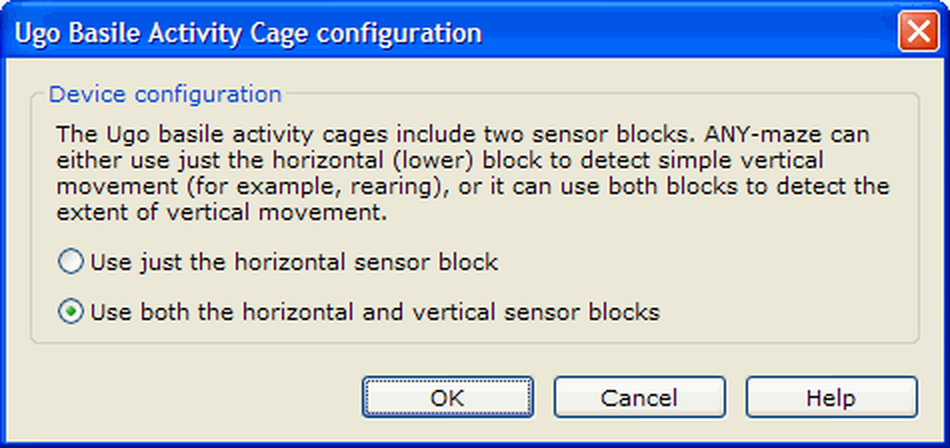
Figure 1. The Ugo Basile Activity Cage configuration window.
Using this configuration window, you can specify whether ANY-maze should use just the horizontal (lower) sensor block or both blocks. Note that the option you choose applies to all the cages connected to the same COM port.
See also:
| • | Using the Ugo Basile Activity Cage photobeam sensor blocks |

© Copyright 2003-2026 Stoelting Co. All rights reserved
ANY-maze help topic T1307