ANY-maze Help > I/O devices supported by ANY-maze > The ANY-maze Operant interfaces > Configuring an ANY-maze Operant interface > Configuring the ports of an ANY-maze Operant interface > Add/Edit Component Wizard : Generic component
Add/Edit Component Wizard : Generic component

Introduction
The 'Generic output/input' page of the ANY-maze Operant interface 'Add/Edit component' wizard will allow you to set up an unlisted component as a simple output or input switch.
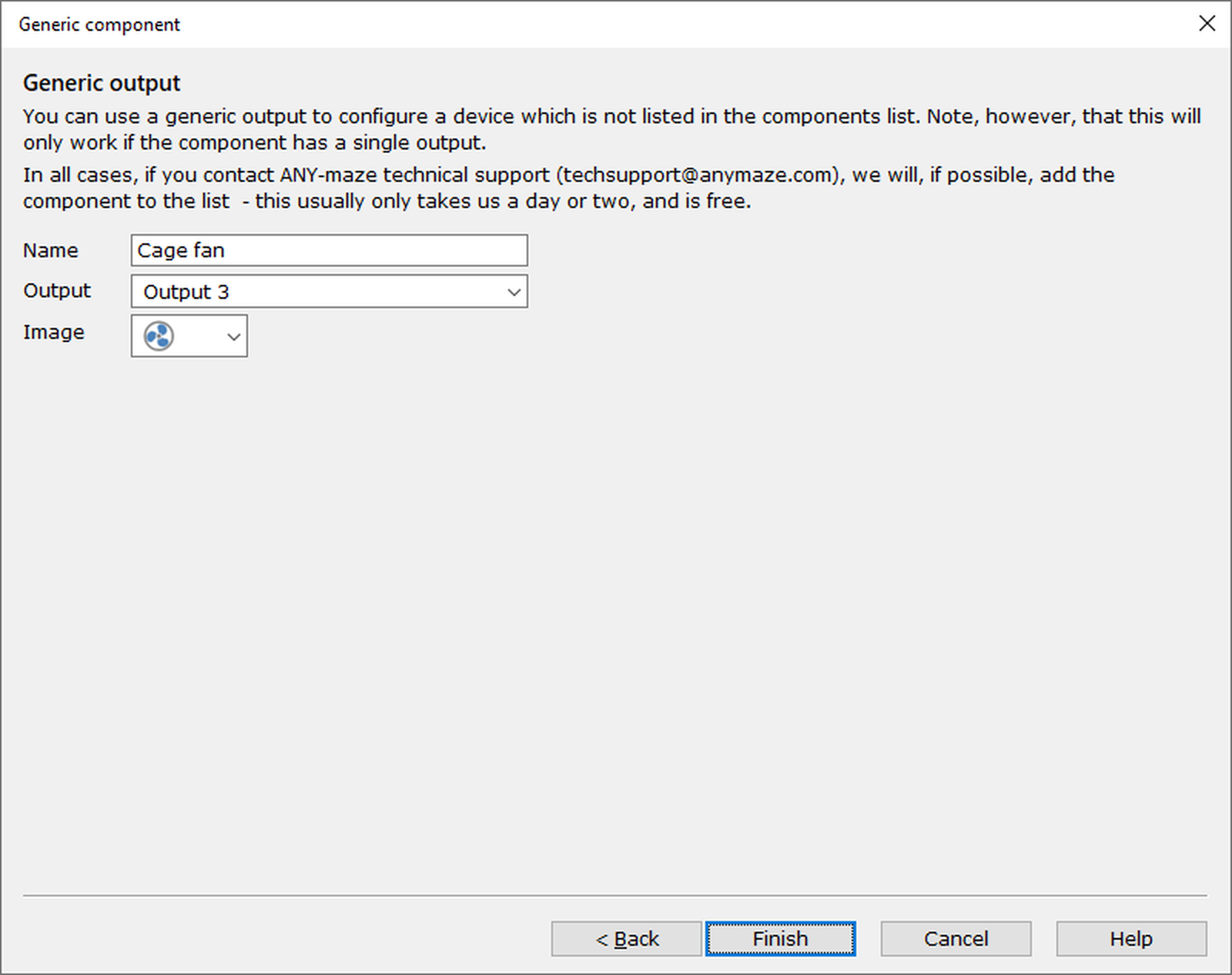
Figure 1. The 'Generic output' page of the ANY-maze Operant interface 'Add/Edit component' wizard. In this case, the output has been set up for a cage fan.
Details
This page can be used to set up a generic output or input to allow you to use a component that isn't currently supported, providing the component only requires a single output or input connection to control it.
To set up your component, you need to specify:
| • | The Name of the component |
| • | The Output or Input that it will connect to |
| • | An Image that will be used to represent the component when it is listed on the Test window's I/O Status panel, or in the protocol list as an output switch or on/off input |
What next?
Once you've entered the name, connection and image for your generic component, click Finish to exit the wizard. You'll be taken back to the ANY-maze Operant interface configuration window, where the component you've just added will now be in the list of components.

© Copyright 2003-2026 Stoelting Co. All rights reserved
ANY-maze help topic T1107