ANY-maze Help > I/O devices supported by ANY-maze > The ANY-maze Operant interfaces > Configuring an ANY-maze Operant interface
Configuring an ANY-maze Operant interface

Introduction
The ANY-maze Operant interface configuration window is primarily used to configure the individual ports of the device; however it also shows information about your device and allows you to change its ID and update its firmware.
| • | Accessing the ANY-maze Operant interface configuration window |
| • | Configuring the components connected to the ANY-maze Operant interface |
| • | Suppressing the LEDs on the ANY-maze Operant interface front panel |
| • | Changing the device ID |
| • | Updating the device firmware |
Accessing the ANY-maze Operant interface configuration window
To access the ANY-maze Operant interface configuration window, select the interface in the list on the left side of the I/O page and then click the  Configure this device button in the ribbon bar.
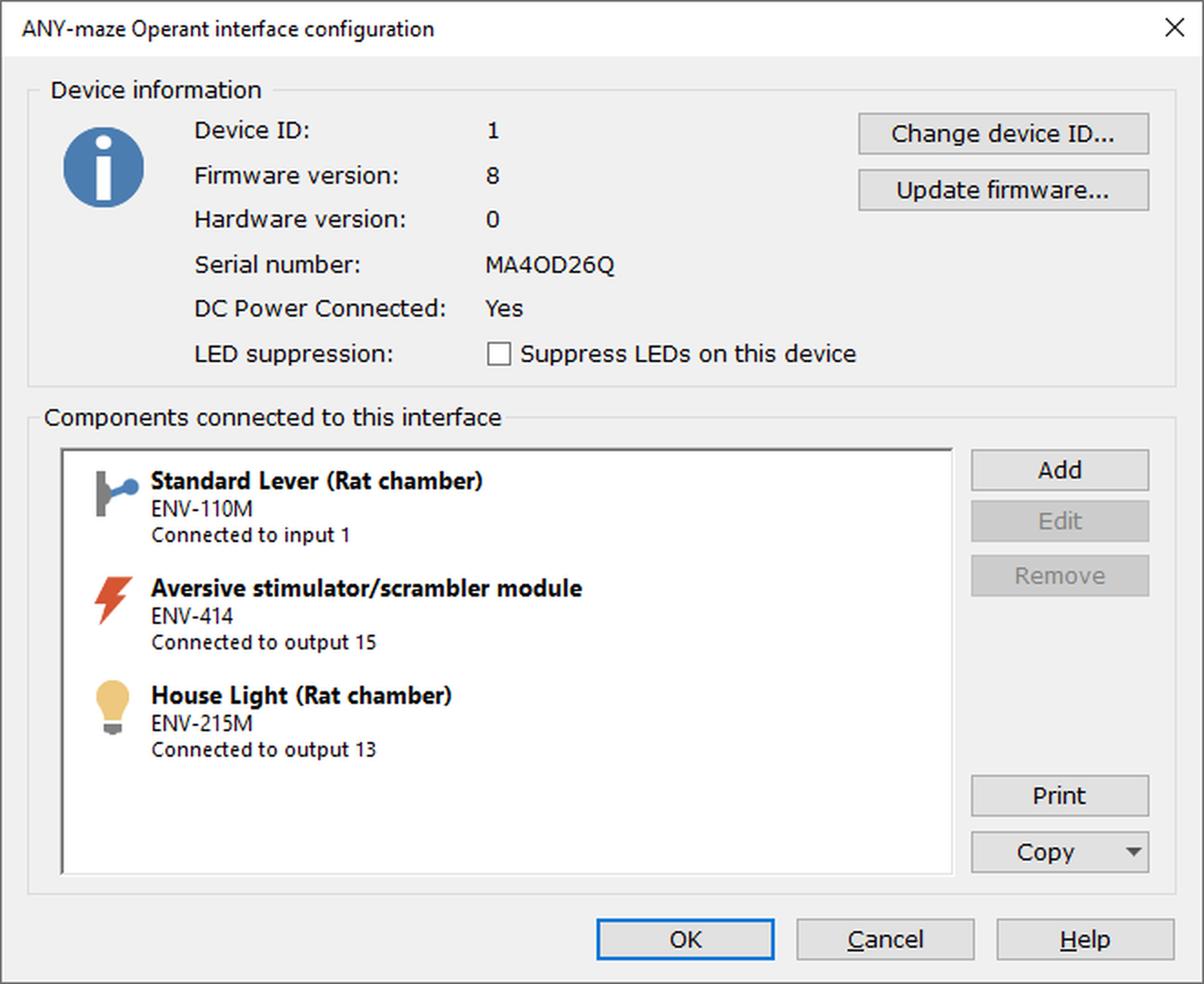
Figure 1. The ANY-maze Operant interface configuration window.
Configuring the components connected to the ANY-maze Operant interface
The list at the bottom of this window shows the components currently set up for this interface. This list will be empty before you've added any components; you can find full instructions on how to add components to this list, and edit any components that are already there, under Configuring the ports of an ANY-maze Operant interface.
Suppressing the LEDs on the ANY-maze Operant interface front panel
The ANY-maze Operant interface has an LED on its front panel, which shows the status of the device and its power supply.
If the interface will be visible to the animal during a test, then you may wish to suppress this LED - perhaps the test should be performed in darkness, or you're concerned that the LED could provide visual cues to the animal. To suppress the LED, you simply need to check the Suppress LEDs on this device button in the Device information section of the configuration window.
Changing the device ID
The method of changing the device ID is the same for all ANY-maze interface devices. Full details, including what the device ID is and why you might want to change it, can be found here.
Updating the device firmware
The process of updating the firmware is the same for all ANY-maze interface devices. Full details can be found here.
See also:
| • | Setting up an ANY-maze Operant interface for the first time |
| • | Configuring the ports of an ANY-maze Operant interface |
| • | Testing components connected to an ANY-maze Operant interface |
| • | Renumbering ANY-maze Operant interface interfaces |
| • | Creating an Operant protocol |

© Copyright 2003-2026 Stoelting Co. All rights reserved
ANY-maze help topic T1103