ANY-maze Help > The ANY-maze reference > The Protocol page > The elements of a protocol > Reports > Track plots > Editing a Track plot
Editing a Track plot

 | ANY-maze automatically includes track plots of the position of the animal's centre point and, if relevant, the animal's head in all new protocols. You can edit or even delete these track plots if you wish, and of course you can add new track plots too. |
In brief
You can edit absolutely everything about a Track plot at any time, there are no restrictions.
Details
Although you can edit a track plot on the Protocol page, it is often easier to edit it using the Track plot settings pop-up window, which is accessed from the Change settings option on the Track plot's menu - see figure 1.
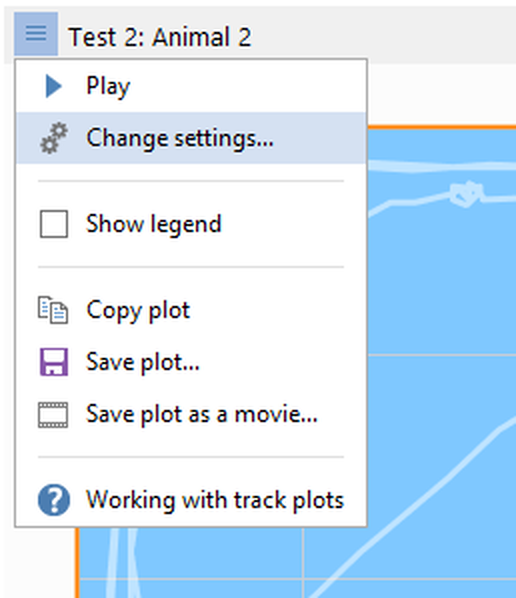
Figure 1. The Change settings option on the track plot menu opens a pop-up window where the track plot settings can be updated dynamically.
The pop-up window is shown next to the track plot and any changes you make to the settings are immediately reflected in the plot.
See also:
| • | Editing a track plot |
| • | Deleting a track plot |
| • | Working with track plots |

© Copyright 2003-2026 Stoelting Co. All rights reserved
ANY-maze help topic T0686