ANY-maze Help > The ANY-maze reference > The Tests page > Running tests > Running a test > Recording behaviours during a test using keys
Recording behaviours during a test using keys

Introduction
As you may know, you can define keys in the protocol which you can use to record behaviours which ANY-maze can't score automatically such as grooming and rearing.
Details
Each behaviour you want to score is assigned a key (as part of the protocol) and while the animal is exhibiting the behaviour you simply need to press the key and hold it down until the behaviour stops. You can hold down more than one key if more than one behaviour is being exhibited at the same time.
If the protocol includes any keys then the Test window will include a Keys panel which will show the keys available to record behaviour in this test - see figure 1.
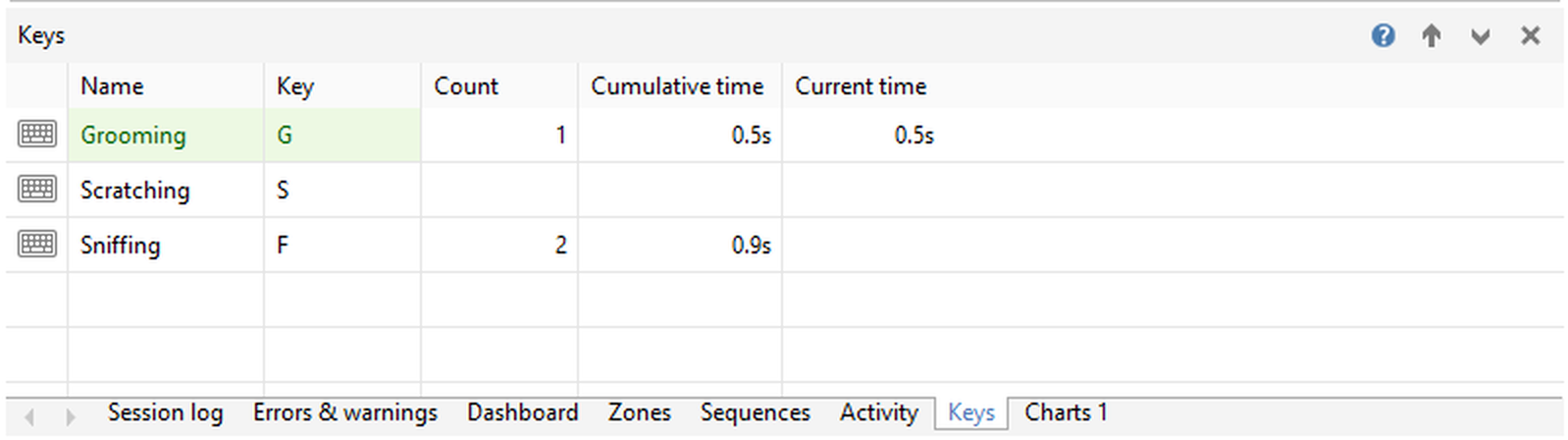
Figure 1. The Keys panel, which shows keys being pressed during a test.
If you intend to record more than just a few behaviours using keys then you may find that it very hard to do as you'll have to be looking out for all the behaviours simultaneously and press the right key at the right time.
To overcome this, ANY-maze allows you to repeatedly review a video of a test and score just some of the behaviours in each review - thus you can easily score 10 different behaviours by simply scoring 2 at a time and reviewing the video 5 times.
Clearly, for this to be possible you must record a video of the test, but you can set up the protocol so that this is done automatically.
For full details on how to actually add additional scoring to a test see this topic.

© Copyright 2003-2026 Stoelting Co. All rights reserved
ANY-maze help topic T0814