ANY-maze Help > I/O devices supported by ANY-maze > The ANY-maze interface device family > The ANY-maze Optogenetics interface > Connecting an ANY-maze Optogenetics interface to your laser
Connecting an ANY-maze Optogenetics interface to your laser

Introduction
Most optogenetic lasers include an external 'Trigger' input which can be used to switch the laser on and off. You will need to connect the output from the ANY-maze Optogenetics interface to this Trigger input.
Making the connection
Most lasers which include an external 'Trigger' input use a BNC connector; this is the same type of connector as the ANY-maze Optogenetics interface uses, so you will simply need a BNC to BNC cable to connect the two together. These are inexpensive and easy to find.
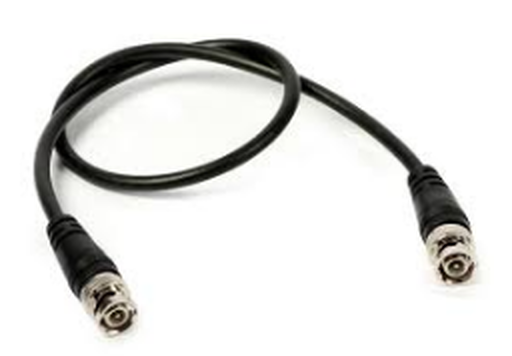
Figure 1. Most lasers will connect to the ANY-maze Optogenetics interface using a BNC to BNC cable. These are cheap and readily available.
If your laser uses some other type of connector and you're not easily able to find a suitable cable, then contact us as we can usually build a cable to match your requirements.
Before connecting your laser to the ANY-maze Optogenetics interface you should confirm that the laser's trigger input is either a TTL input, or that the input is triggered by some voltage below 5V. If the trigger doesn't use TTL levels but is triggered by a voltage below 5V, then you should specify that voltage as the Intensity when you set up the laser controller in the protocol
Most lasers are 'active high' - that's to say that when the trigger signal is set to a TTL 'high' (5V) the laser will switch on. However, some are 'active low' (i.e. they switch on when the trigger signal goes FROM 5V to 0V) - if this is how your laser works then you should change the configuration of the ANY-maze Optogenetics interface port to be 'active low'.
Most optogenetic lasers output at a fixed intensity, but some allow you to control the laser's intensity by adjusting the voltage at the trigger input. For example, a 5V signal will output 100% intensity, a 2.5V signal will output 50% intensity, and so on. If your laser works in this way then you can set the intensity when you set up the laser controller in the protocol. You can also alter the intensity dynamically during a test using a procedure.
Testing
After connecting the laser to the optogenetic interface, you can test it in ANY-maze using the I/O page.
| 1. | Open the ANY-maze Optogenetics interface in the list on the left side of the I/O page. |
| 2. | Select the interface's Laser controllers, again, in the list on the left side of the page. |
| 3. | Click the Settings tab |
| 4. | Adjust the settings of the port that the laser is connected to, to have a frequency of 1Hz and a duty cycle of 50% (see figure 2, below) |
| 5. | Click the laser icon for the appropriate port on the right side of the page |
| 6. | The laser should start to flash on and off once a second |
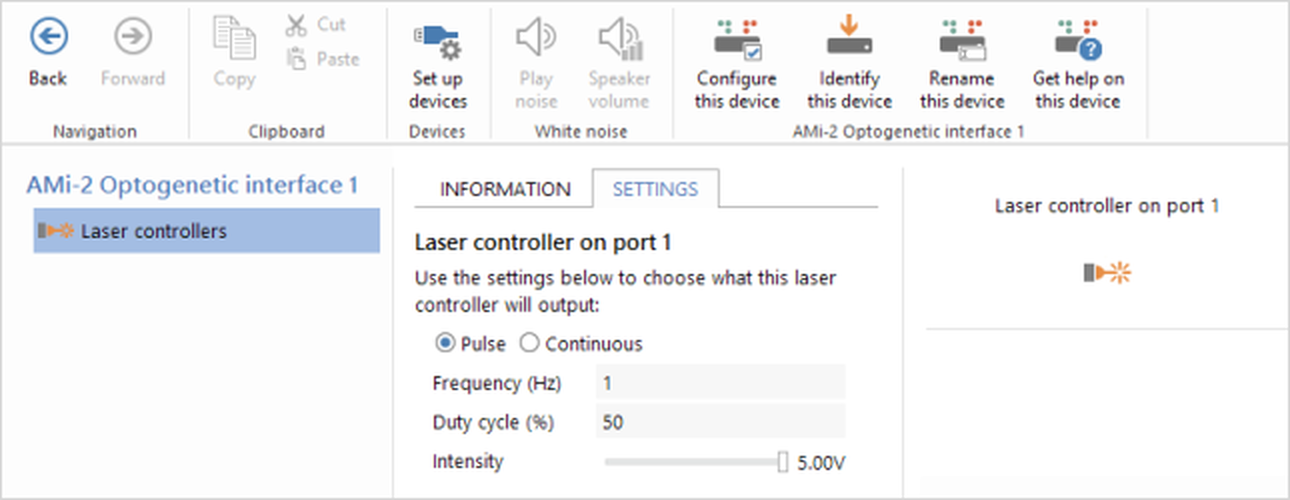
Figure 2. Testing the ANY-maze Optogenetics interface on the I/O page.
If your laser supports adjustments to its intensity, then you can slide the intensity slider down and you should see the laser's intensity reduce. If your laser doesn't support this function, then as you reduce the intensity nothing will happen until a point where the laser will simply switch off (stop flashing).
Of course, you can also try other tests, such as altering the frequency and/or duty cycle, until you're satisfied that the laser and optogenetic interface are functioning correctly. You'll then be ready to use the laser in some tests.
See also:
| • | Setting up the ANY-maze Optogenetics interface |
| • | Configuring the ANY-maze Optogenetics interface |
| • | Using the ANY-maze Optogenetics interface in tests |

© Copyright 2003-2026 Stoelting Co. All rights reserved
ANY-maze help topic T1050