ANY-maze Help > I/O devices supported by ANY-maze > The ANY-maze Operant interfaces > Configuring an ANY-maze Operant interface > Configuring the ports of an ANY-maze Operant interface > Add/Edit Component Wizard : Select component
Add/Edit Component Wizard : Select component

Introduction
The 'Select component' page of the ANY-maze Operant interface 'Add/Edit component' wizard will show a list of all the supported components, grouped into components of similar types.
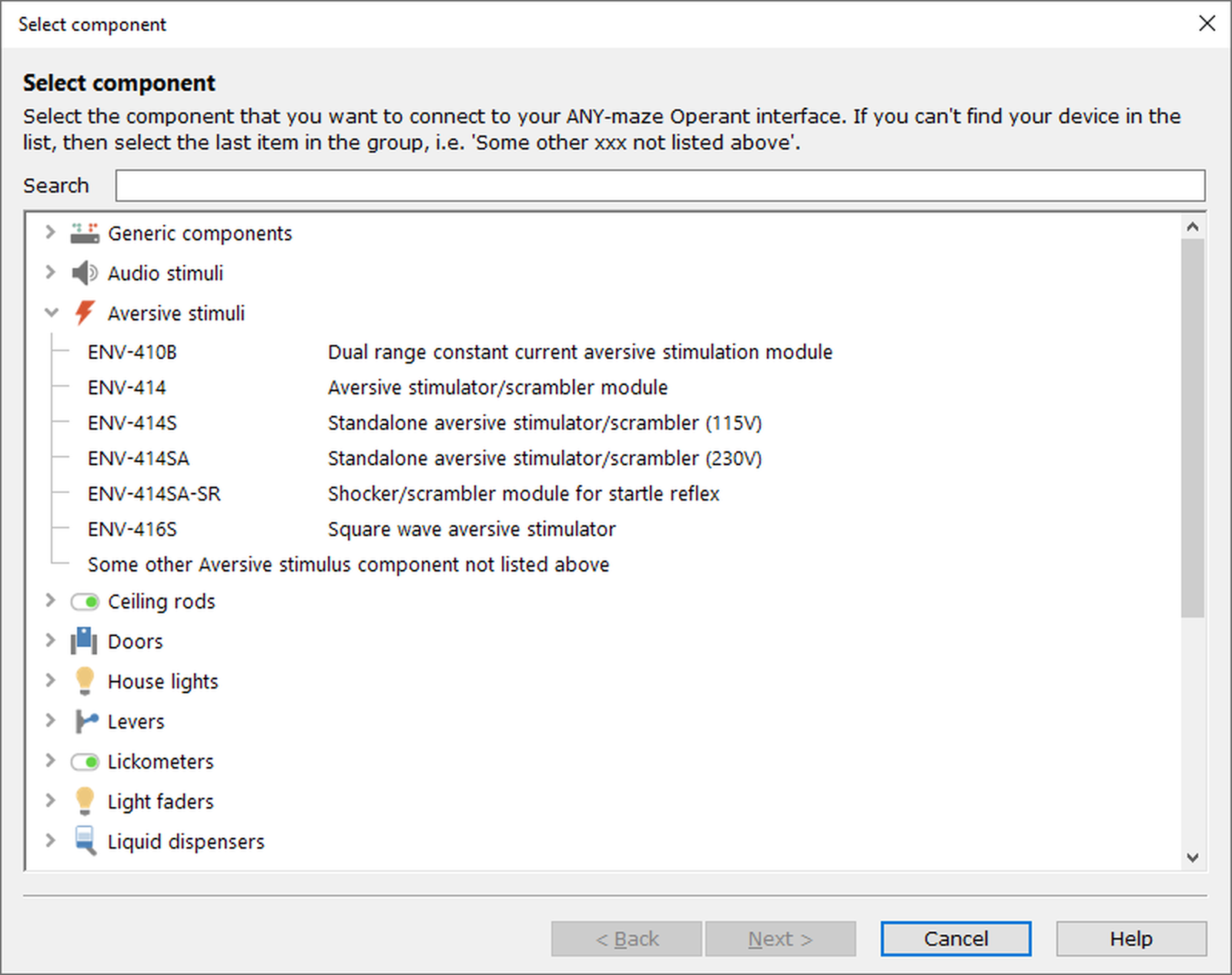
Figure 1. The 'Select component' page of the ANY-maze Operant interface 'Add/Edit component' wizard. The 'Aversive stimuli' group has been opened, to show the components in that group.
Details
If you know the product number of the component you want to add, the simplest way of finding it is to start typing this product number into the Search box at the top of this window. The list of components will change as you type, to only list those which match what you've entered (when this happens, all groups which contain matching components will be expanded to show the matching components within the group). Once you can see the correct component in the list, simply select it and click Next.
Note that this search also works on product names as well as part numbers.
 | To start searching again, simply delete the search text and the list will refill with all components. |
If you don't have the part number to hand, you can simply find the group of components that it belongs to and expand the group to show the components.
What if my component isn't listed?
We've tried to include as many components as we can in the list, but there's a chance that your component isn't included (perhaps because it's an older component which is no longer produced, or is too new for us to have added it to ANY-maze). If this is the case, then please let us know - if possible, we'll add it into the list of supported components. This is free of charge and can usually be done within a couple of days.
If your component isn't listed, please contact ANY-maze Support and let them know the following information:
| • | The component's manufacturer (Med Associates) part number |
| • | The name of the component |
| • | The component's type (i.e. which group in this list does it belong to) |
| • | Whether or not you have a manual for this component |
| • | A brief description of the component, together with any other information you think we might find useful - for example, if you know that this is a very old component that is no longer manufactured. |
In the meantime, you may be able to set up a generic output or input to control the component - this will work if the component only requires a single output or input connection to control it. To set the component up in this way, select either 'Generic output' or 'Generic input' from the Generic components group at the top of the list.
For full details of how each component works, please see the relevant manual which can be downloaded from one of the following web sites:
| • | Med Associates web site. |
| • | Lafayette Instrument Company web site. |
| • | As Coulbourn Instruments has closed, manuals are no longer available for download, but you can contact ANY-maze Support who may have a copy of the manual you require. |
What next?
Once you've selected the component, click Next and you'll be taken to the next page of the wizard. Depending on what you've selected, this will be one of the following pages:
| • | The Set up connections page (if you've selected a component) |
| • | The Unlisted component page (if you've selected 'Some other ... not listed above'). This will outline what you need to do to let us know about the component. |
| • | The Generic component setup page (if you've selected a generic input or output from the Generic components group). |

© Copyright 2003-2026 Stoelting Co. All rights reserved
ANY-maze help topic T1105