ANY-maze Help > The ANY-maze reference > The Tests page > The Experiment management reports > The Test track plot reports
The Test track plot reports

Introduction
Test Track plot reports show a track of where the animal went during the test - see figure 1. The Track plots themselves are defined in the protocol.
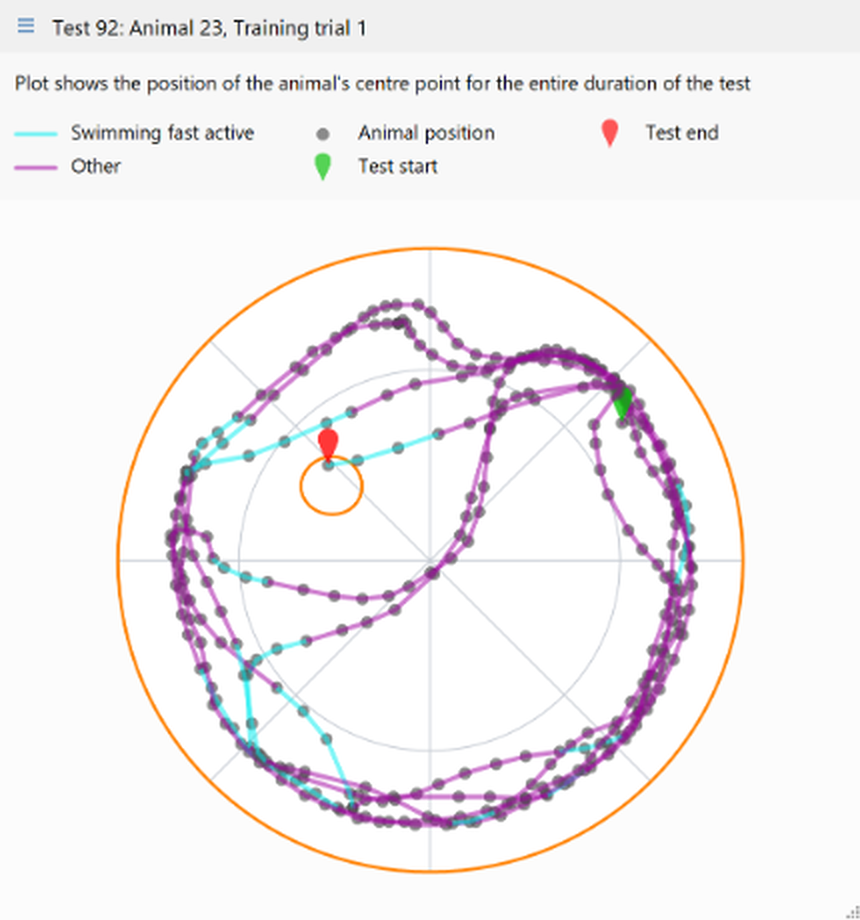
Figure 1. An example of a track plot from a water-maze experiment.
If your protocol includes any Track plots then they will be listed on the Related reports menu of the Test details report. Therefore, to view a Test's track plot report you should:
| • | Switch to the Test page. |
| • | In the Test schedule report, shown on the left of the page, click the Test number of the test you're interested in. |
| • | The Test details report will open. Click the  Related reports button in the ribbon bar. Related reports button in the ribbon bar. |
| • | Select the relevant Track plot from the menu which appears. If there are no Track plots listed then you need to add one to your protocol. |
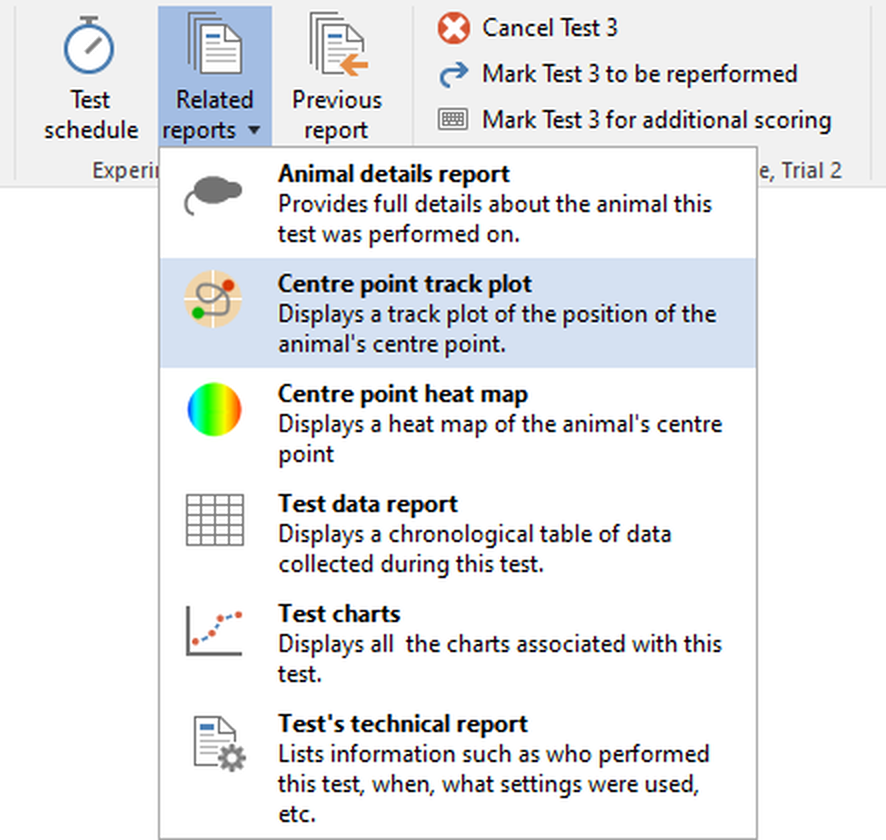
Figure 2. The Related reports menu includes an entry for each Track plot defined in the protocol.
It is easy to alter what the track plot is showing, to 'play' the track plot and to copy or save just the plot to a file - all these features and more, are described in detail in the Working with track plots topic.
The results of the test are also included in this report. Exactly which measures are shown is defined in the protocol and you can easily alter them by clicking the link shown just below the Results section title.
You can also copy, save or print the entire report, which will include not just the track plot but the test results and other data shown in it.
See also:
| • | Working with Track plots |
| • | Printing reports |
| • | Saving reports |
| • | Copying reports |
| • | Sending reports by e-mail |

© Copyright 2003-2026 Stoelting Co. All rights reserved
ANY-maze help topic T0772