ANY-maze Help > I/O devices supported by ANY-maze > The ANY-maze interface device family > The ANY-maze Analogue interface > Using the ANY-maze Analogue interface in tests
Using the ANY-maze Analogue interface in tests

Introduction
After configuring and connecting and testing your equipment, you'll be ready to actually use your ANY-maze Analogue interface in some tests.
| • | Adding a signal input to the protocol |
| • | Filtering signal inputs |
| • | Reacting to signal inputs |
| • | Adding analogue outputs to the protocol |
Adding a signal input to the protocol
To use an analogue input in tests, you will need to add a signal input to your protocol, and select the port to use as the port on the ANY-maze Analogue interface that the signal is connected to.
When you set up the signal input in the protocol, you will be able to optionally specify conversion data to convert the input value from Volts to the real-world value that the signal represents. For example, imagine you are connected to a respiratory gas analyser that outputs a signal from 0V (representing 0% CO2) to 5V (representing 100% CO2). If you specify this conversion data (as in figure 1, below), then ANY-maze will report all the results for this input as %CO2, which will be far more meaningful than results in Volts.
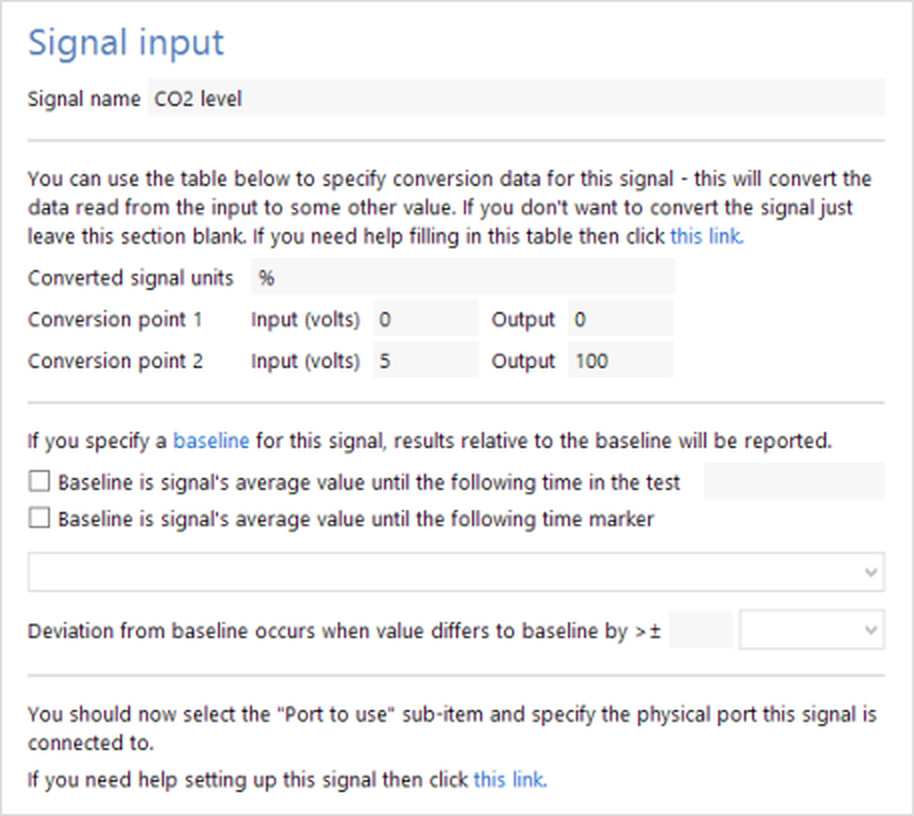
Figure 1. The signal input settings in the protocol
Filtering signal inputs
After you have added a signal input to the protocol, you can optionally add a filtered signal to it. Here, the original signal is filtered to create a new signal input. For example, an original signal might represent an EEG. If you added a band pass filter to the signal for the frequencies 7.5–12.5 Hz, then you would create a new signal, which would represent the Alpha wave of the EEG.
The available filters include high, low and band-pass as well as an averaging filter. Full details about how to set up a filtered signal can be found here.
Reacting to signal inputs
You can use Procedures to monitor a signal input, and react if the signal changes in some way. For example, in the case of a respiratory oxygen analyser, you might want to detect when oxygen levels go below 15% and lock an animal's running wheel if this occurs.
Adding analogue outputs to the protocol
To use an analogue output in tests, you will need to add an Analogue output item to your protocol and select the port to use as the port on the ANY-maze Analogue interface that the output connects to.
When you set up an analogue output, you can choose whether the output will track the animal's X or Y position or whether it will simply be set by a procedure - see figure 2.
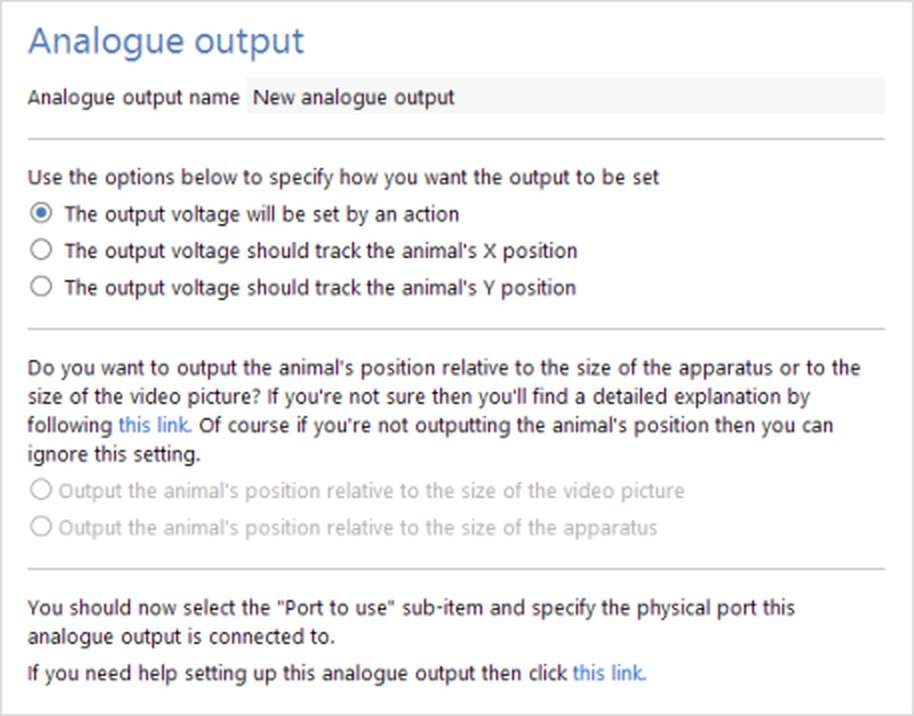
Figure 1. The analogue output settings in the protocol
If you choose to set the output using a procedure, you will be able to use an action in the procedure to set the output to any value - for example, this might be based on which zone the animal is in, how many times the animal has pressed a lever, the time of day, etc.
See also:
| • | Setting up the ANY-maze Analogue interface |
| • | Configuring the ANY-maze Analogue interface |
| • | Connecting the ANY-maze Analogue interface to your equipment and testing it |

© Copyright 2003-2026 Stoelting Co. All rights reserved
ANY-maze help topic T1085