ANY-maze Help > The ANY-maze reference > The Tests page > The Test window > The Sequences panel
The Sequences panel

Introduction
The Sequences panel simply shows the sequences set up in your protocol, and reports when they are completed.
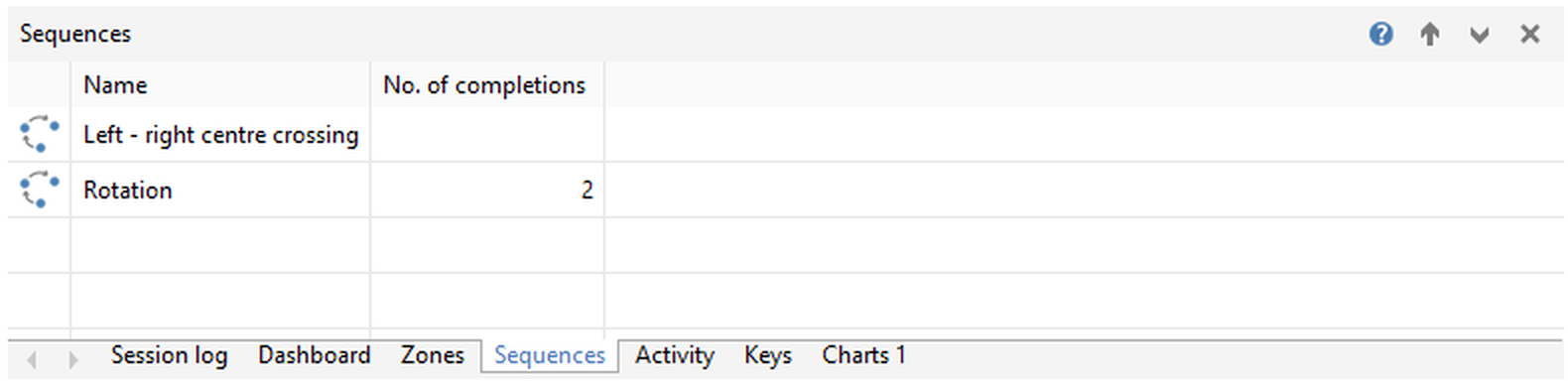
Figure 1. The Sequences panel, showing the two sequences in the protocol, one of which has been completed twice.
Details
There are no buttons specific to this panel.
When this panel is the selected tab, the right-hand side of the tabbed section's title will contain controls relevant to the tabbed display:
 | Show Help - Displays help on this panel. |
 | Promote panel - Promotes this panel to be the main panel of the Test window. |
 | Collapse tabs - Collapses the tabbed section, to give more space to the promoted panel. The tabbed section can be reinstated by clicking on any tab. |
 | Close panel - Closes this tab, removing it from the tabbed section. It can be re-added using the  Panel settings button on the ribbon bar, or the Test window panels section of the protocol. Panel settings button on the ribbon bar, or the Test window panels section of the protocol. |
The information in this panel will generally persist at the end of the test (depending on how you've set the Test window panel settings in the protocol). For more information, see Clearing test information ready for the next test.
See also:
| • | The Test window |
| • | The Session log panel |
| • | The Errors & Warnings panel |
| • | The Video panel |
| • | The Dashboard panel |
| • | The Zones panel |
| • | The Activity panel |
| • | The Keys panel |
| • | The I/O Status panel |
| • | The Virtual Switches panel |
| • | The Charts panel |
| • | Clearing test information ready for the next test |

© Copyright 2003-2026 Stoelting Co. All rights reserved
ANY-maze help topic T0787