ANY-maze Help > The ANY-maze reference > The Tests page > The Test window > The Errors & Warnings panel
The Errors & Warnings panel

Introduction
The Errors & Warnings panel shows any errors and warnings that occur while you are testing. By default, this panel is hidden, and will automatically be shown when an error occurs so you can see details of the problem.
If the panel is already visible, then any new errors, together with its tab, will be highlighted in yellow to make it clear that there is a new issue that requires attention. This colour will fade after a few seconds so that new errors are always highlighted.
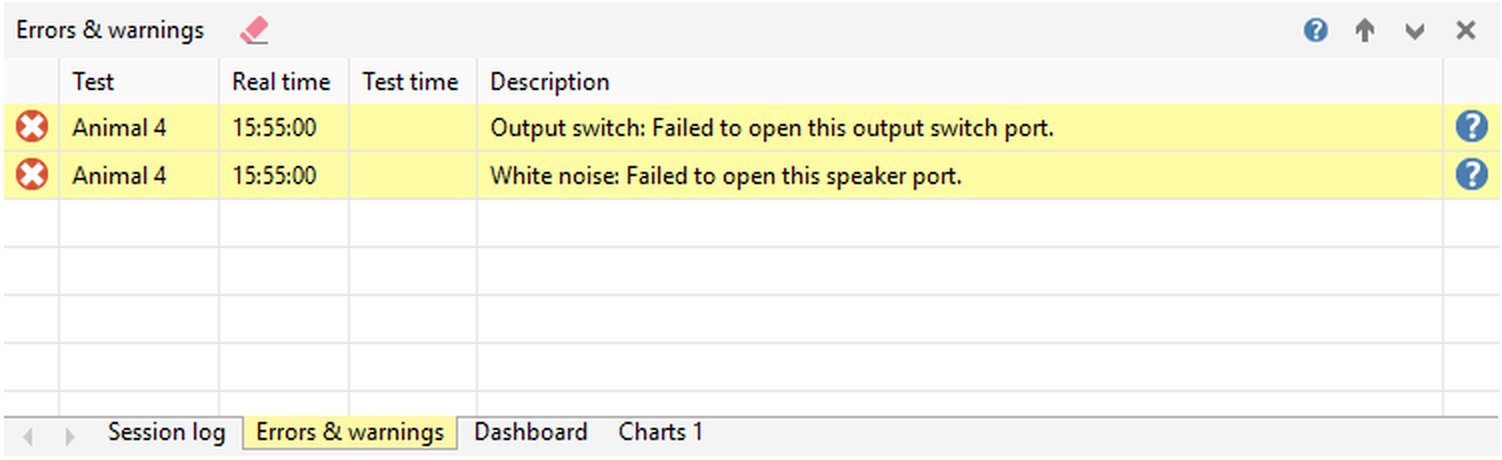
Figure 1. The Errors & Warnings panel, showing two ports that failed to open. The errors have just occurred, so the lines are highlighted in yellow.
Details
Errors are listed in the panel at the time they occur, with a brief description. To find out more information about any error or warning, simply click the  Help button at the right-hand end of the row.
The following buttons are specific to this panel. If the panel is the promoted (main) panel, these will appear alongside the test control buttons in the tool bar at the top of the window; otherwise they will appear as the title of the tabbed section when the Errors & Warnings panel is the currently-selected tab:
 | Clear Errors & Warnings panel - Clears the contents of the Errors & Warnings panel. Note that this doesn't mean that you'll lose the history of any errors that have already occurred in the test; these are always recorded and will be shown on the Test details report for the test. |
When this panel is the selected tab, the right-hand side of the tabbed section's title will contain controls relevant to the tabbed display:
 | Show Help - Displays help on this panel. |
 | Promote panel - Promotes this panel to be the main panel of the Test window. |
 | Collapse tabs - Collapses the tabbed section, to give more space to the promoted panel. The tabbed section can be reinstated by clicking on any tab. |
 | Close panel - Closes this tab, removing it from the tabbed section. It can be re-added using the  Panel settings button on the ribbon bar, or the Test window panels section of the protocol. Panel settings button on the ribbon bar, or the Test window panels section of the protocol. |
The information in this panel will generally persist at the end of the test (depending on how you've set the Test window panel settings in the protocol). For more information, see Clearing test information ready for the next test.
See also:
| • | The Test window |
| • | The Session log panel |
| • | The Video panel |
| • | The Dashboard panel |
| • | The Zones panel |
| • | The Sequences panel |
| • | The Activity panel |
| • | The Keys panel |
| • | The I/O Status panel |
| • | The Virtual Switches panel |
| • | The Charts panel |
| • | Clearing test information ready for the next test |

© Copyright 2003-2026 Stoelting Co. All rights reserved
ANY-maze help topic T0783